

Overview: the apps, who uses them, and what is set up.
HQ › Team Mobile App. One row in the HQ menu (only the owner sees HQ), with its pages as tabs at the top: Overview, Staff & access, Phones, App rules, Sign-in ways, Permission & menu and History.
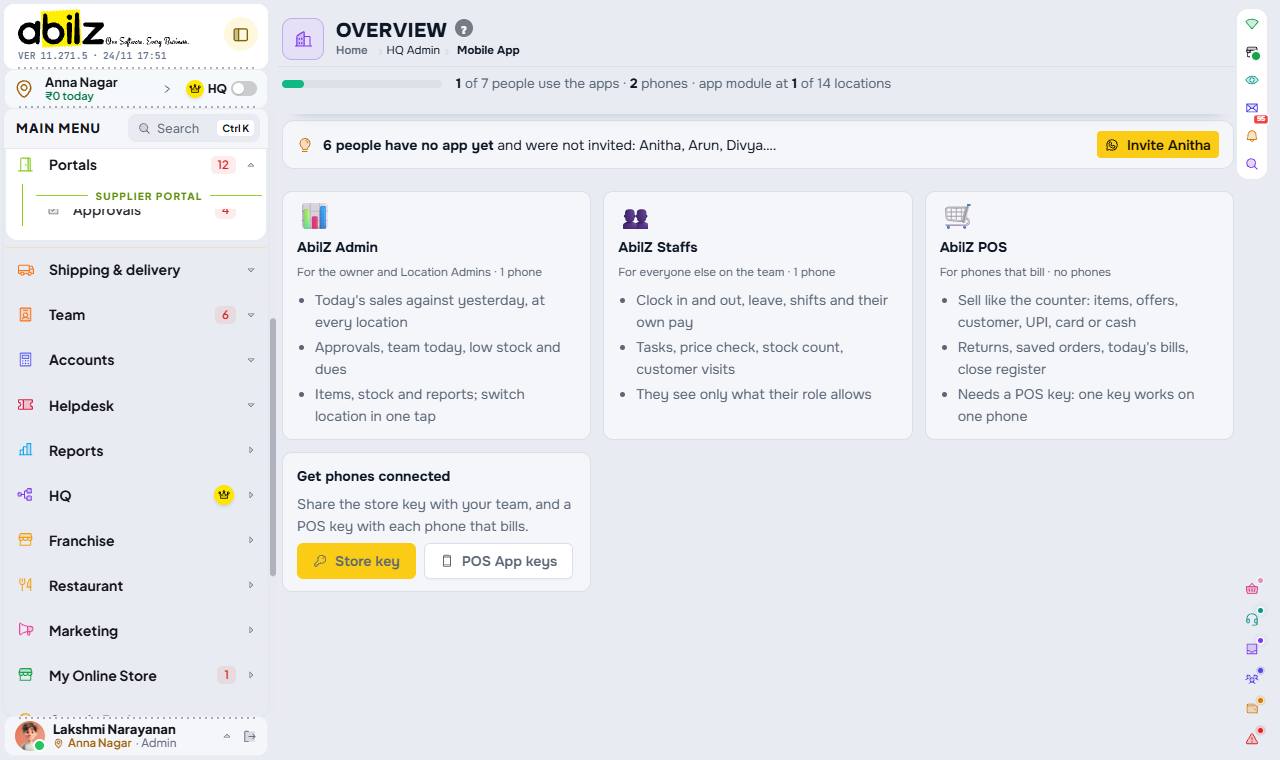
- Overview: the apps, who uses them, and what is set up.
- Staff & access: who may use which app.
- Phones: every signed-in phone, by app, with its app version.
- App rules: when and where each app opens, for each location and each app:
- Hours: all day, shop hours, your own hours, or only while clocked in. Outside the hours the app is closed. Owners and Location Admins are never blocked.
- Area: anywhere, or only at the shop (a circle on the map).
- Network (with Wi-Fi & IP Lock): only on the shop's Wi-Fi, only from the shop's internet IP, or both.
- A person's own rule wins over the location and app rule.
- Sign-in ways: how staff sign in to the apps.
- Permission & menu: for each role, which apps it may use, and which pages show in each app's menu. My day, Dashboard and Store dashboard always stay.
- History: what was changed and by whom.
Was this helpful?
Something wrong in this guide?
Still stuck?Press ? in your portal, then Raise a ticket. It carries the page you are on.
Contact AbilZ