

Your suppliers get their own page: they see your orders, send deliveries and bills, and check what is paid.
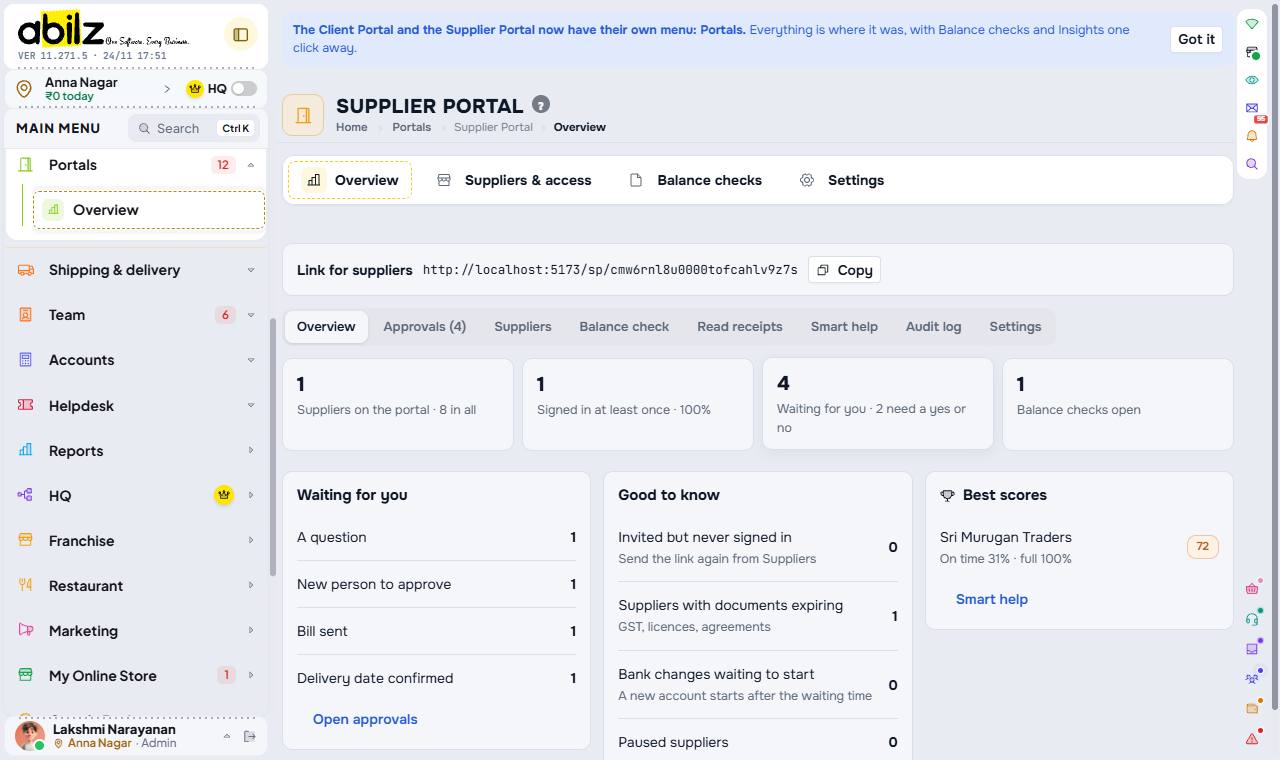
Portals › Supplier Portal › Overview. The Supplier Portal is in its own menu, Portals, together with the Client Portal. Only suppliers you invite can sign in, on their phone or computer.
How suppliers sign in. With their mobile number or email and one password, or with a one-time code on their phone (it always works). The main account and each person in the supplier's team have their own password. In My profile › Password and email they set a password and check their email (a code goes to it; once typed, the email signs in too). Forgot password? on the sign-in page sends one code to their WhatsApp or SMS and their checked email, the same code on both; they type either and choose a new password. A new password for the main account signs out every device, including the team. Five wrong passwords pause the number for 30 minutes.
What the supplier can do
- Orders: see your purchase orders and accept them, give dates for part deliveries, ask for a change, or decline.
- Deliveries: tell you what is coming and when (delivery slots), and print barcode labels for the boxes.
- Bills: make their bill from your order.
- Payments and statement: what you paid and what is still due, with a statement to download or print.
- Early payment: ask to be paid early, when you allow it.
- Quotations: answer your price requests.
- Sales of my items: how their items sell at your store. This is off until you switch it on.
Your side
- Overview: what suppliers did lately and what needs you.
- Approvals (Portals › Supplier Portal › Approvals): changes a supplier asked for, waiting for your yes or no.
- Suppliers: invite suppliers (many at once), and manage each one's logins and what they can see.
- Balance check: your balance and the supplier's, side by side, with hints where they differ.
- Read receipts: who at the supplier opened each order and when; orders not opened in time are marked.
- Smart help: for items you buy from two or more suppliers, which supplier is best on price, on-time delivery and goods kept.
- Audit log: every action in the portal.
- Settings: what suppliers may do (allowed, needs approval, or not allowed), the look, and the safety rules. For example, an order to a supplier whose documents have expired can be stopped.
Something wrong in this guide?
