

What it does. Each person who takes appointments (doctor, stylist, trainer) can link their own Google Calendar:
- every appointment with them goes into their calendar, and is changed or taken off when you change or cancel it;
- Two-way: anything else in their Google Calendar (a meeting, a day off) blocks those times in AbilZ, for staff and for online booking;
- Invite customer: the customer gets a Google Calendar invite when their email is on their customer record.
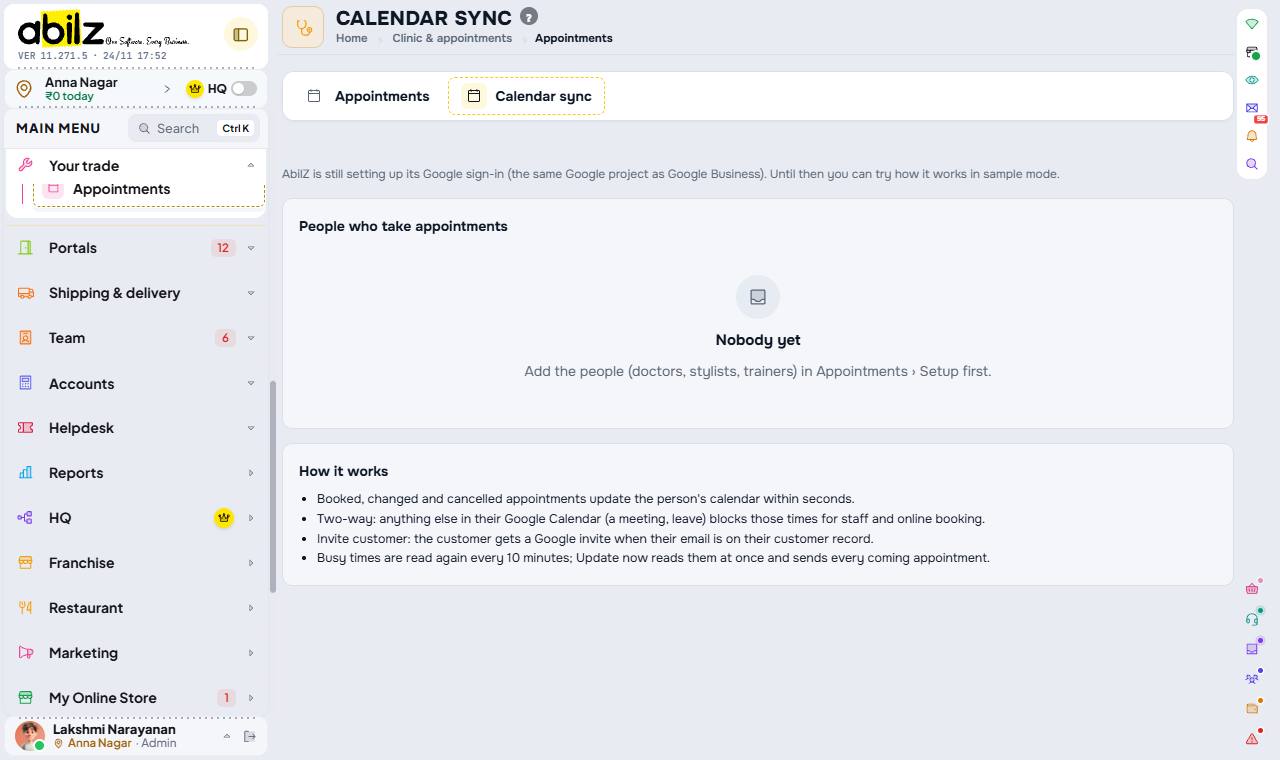
Link a calendar. Open Clinic & appointments › Appointments › Appointments › Calendar sync (a tab on the Appointments page), press Link Google Calendar next to the person. The person signs in with their own Google account in the new tab and allows AbilZ. That is all. Unlink stops it (events already in Google stay there).
Not ready yet? While AbilZ finishes its Google sign-in, switch on Sample mode: each person gets a sample calendar that is busy 1 to 2 pm every day, so you can see those slots blocked in Appointments.
Update now reads the busy times at once and puts every coming appointment in the calendars (useful just after linking). Busy times are read again every 10 minutes by themselves.
Something wrong in this guide?
