

Offers the counter applies by itself, all offers on a calendar, and a TV screen that shows them in the store.
Promotions
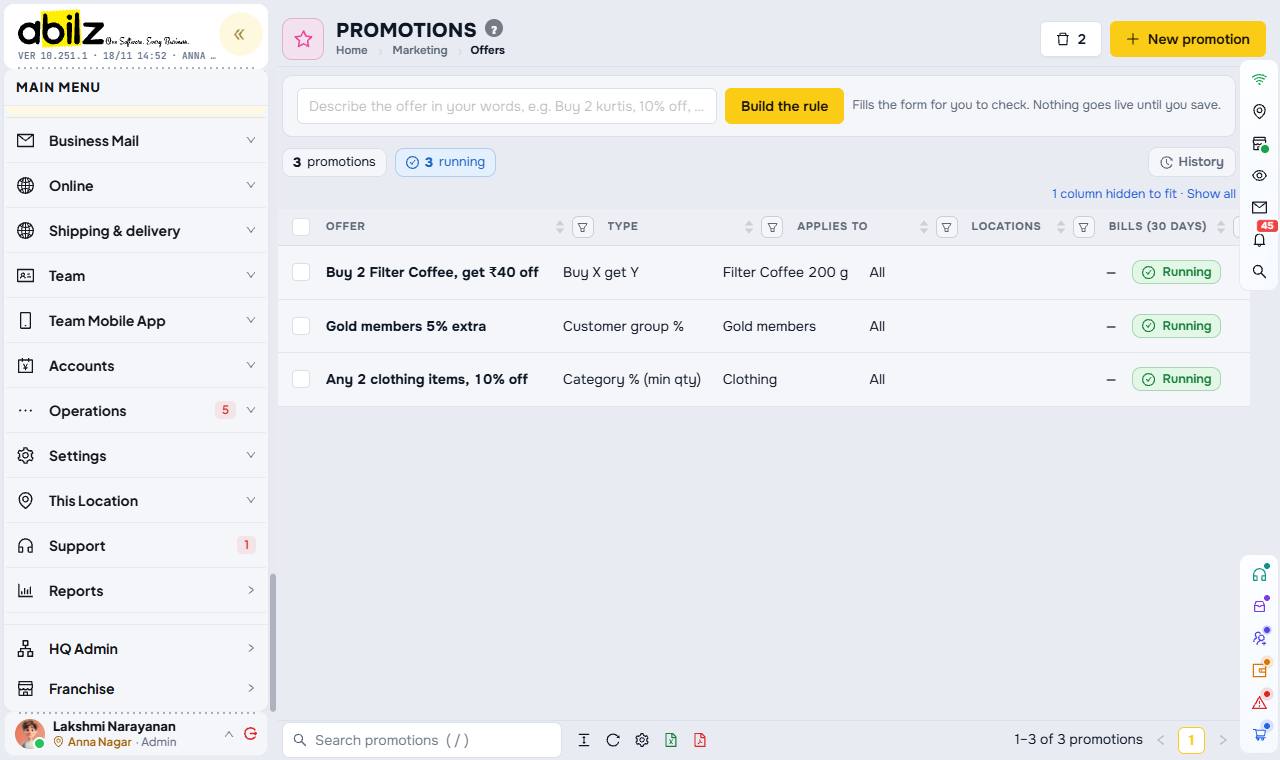
Marketing › Offers › Promotions. Build the rule: what the customer gets (for example buy 2 get 1, 10% off a category), where and when. The list shows each offer's Type, what it Applies to, the Locations, Dates, Bills (30 days) and Status. The counter applies them by itself.
Offer calendar
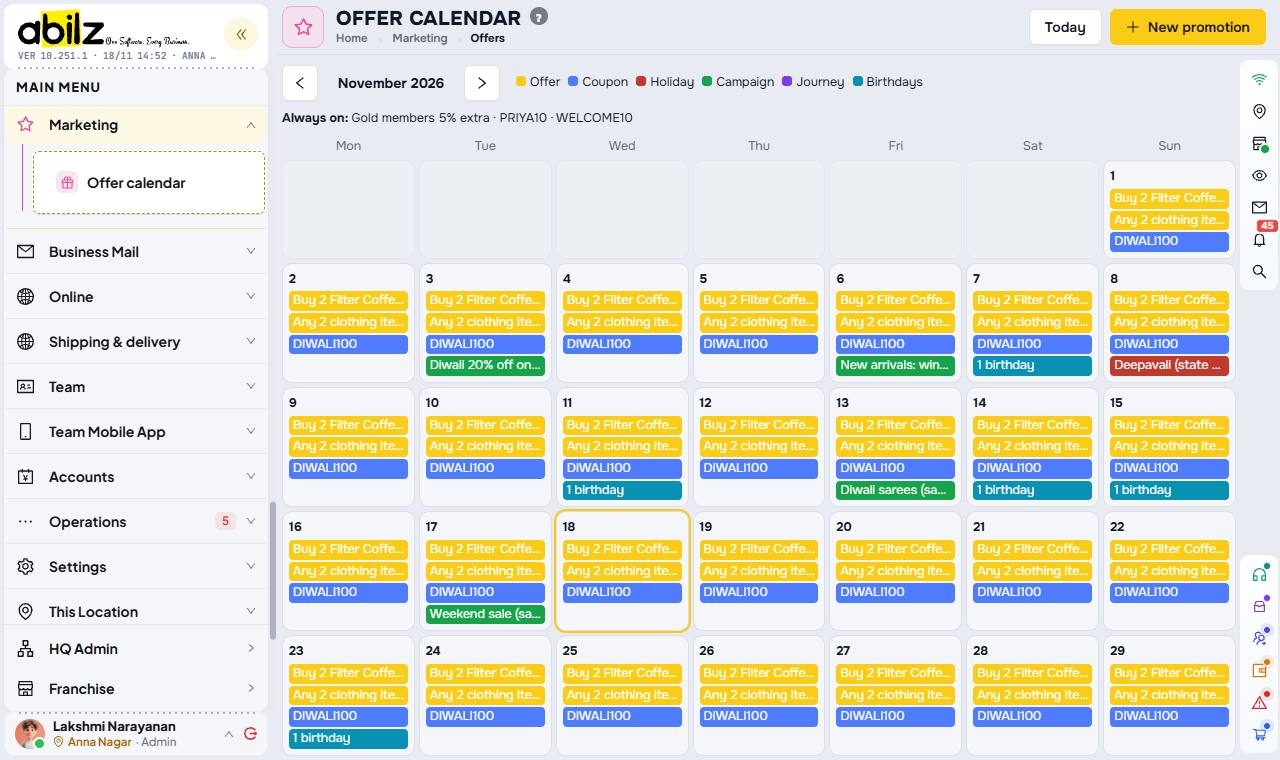
Marketing › Offers › Promotions › Offer calendar (a tab): every offer and campaign on a month calendar. Today jumps back to this month.
Promotion TV screen
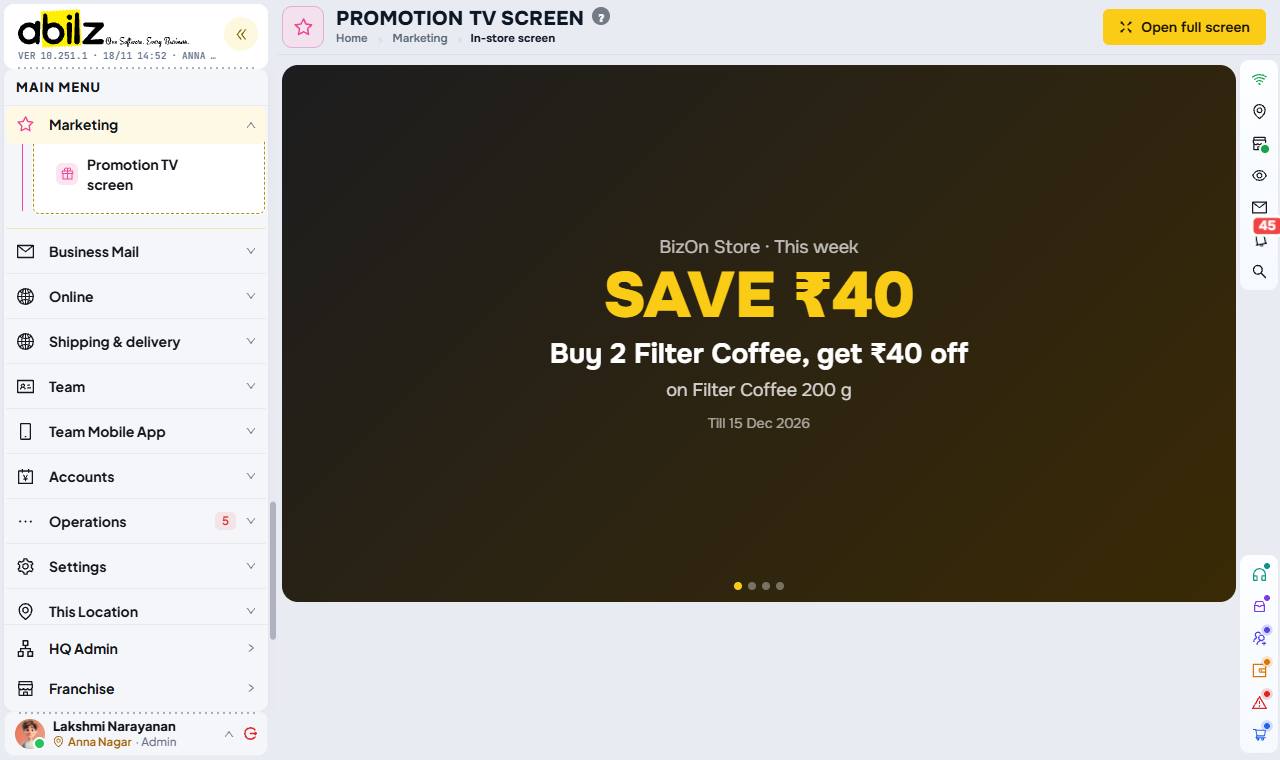
Marketing › In-store screen › Promotion TV screen: open it on a TV in the store to show the running offers and a QR to join. With no offers running, it shows only the join QR.
Was this helpful?
Something wrong in this guide?
Still stuck?Press ? in your portal, then Raise a ticket. It carries the page you are on.
Contact AbilZ