

Raise a ticket from the page where you are stuck. Pick the area and module, read the guides that may fix it, and it reaches the right person at AbilZ.
When a guide does not answer your question, raise a ticket. It goes straight to the AbilZ people who look after that part of the software.
From the page where you are stuck
- Press ? beside the page title.
- At the end of the help panel, press Raise a ticket.
- Write one line about what you were trying to do, then press Raise ticket.
The ticket carries the page you were on and its module, so AbilZ knows the area at once (for example, from Ledger statement it goes to Accounting & tax). It also carries your shop and location, the last errors on the screen and your device, so you do not need to explain where. If the internet is down, it waits on this device and goes when you are back online.
A new ticket from Support
On AbilZ › Support, press New ticket.
- Choose the location and type a subject and what happened.
- Under What is it about?, pick the area: Billing & payments, Licence & modules, Sales & POS, Items & stock, Accounting & tax, Online store & apps, Customers & marketing, Hardware & setup, Login & staff, Idea or request, or Other.
- Then pick the module or topic in that area. The modules you have are listed first. You can skip this.
- Press Send to AbilZ.
The area is already picked when you come from another page (it says From the page you were on) or from the words you type (Picked from your words). Tap another area if it is not right.
It may be fixed before you send
While you type, This may fix it right away shows up to three help guides that fit your words, the module and the page. Tap one to read it in the help panel. Close the guide to come back: nothing you typed is lost.
When you close the new ticket after reading a guide, AbilZ asks Did the guide sort it out?
- Yes, it is sorted: no ticket is sent.
- No, I still need help: the new ticket stays open, so you can send it.
Urgent by itself
You do not need to guess the priority. When your words say the shop cannot sell (cannot bill, POS not working, licence locked), the ticket becomes Urgent. Printer, payment, stock or sync trouble becomes High. The reason shows under Priority. You can always choose a higher priority, never a lower one.
Follow your tickets
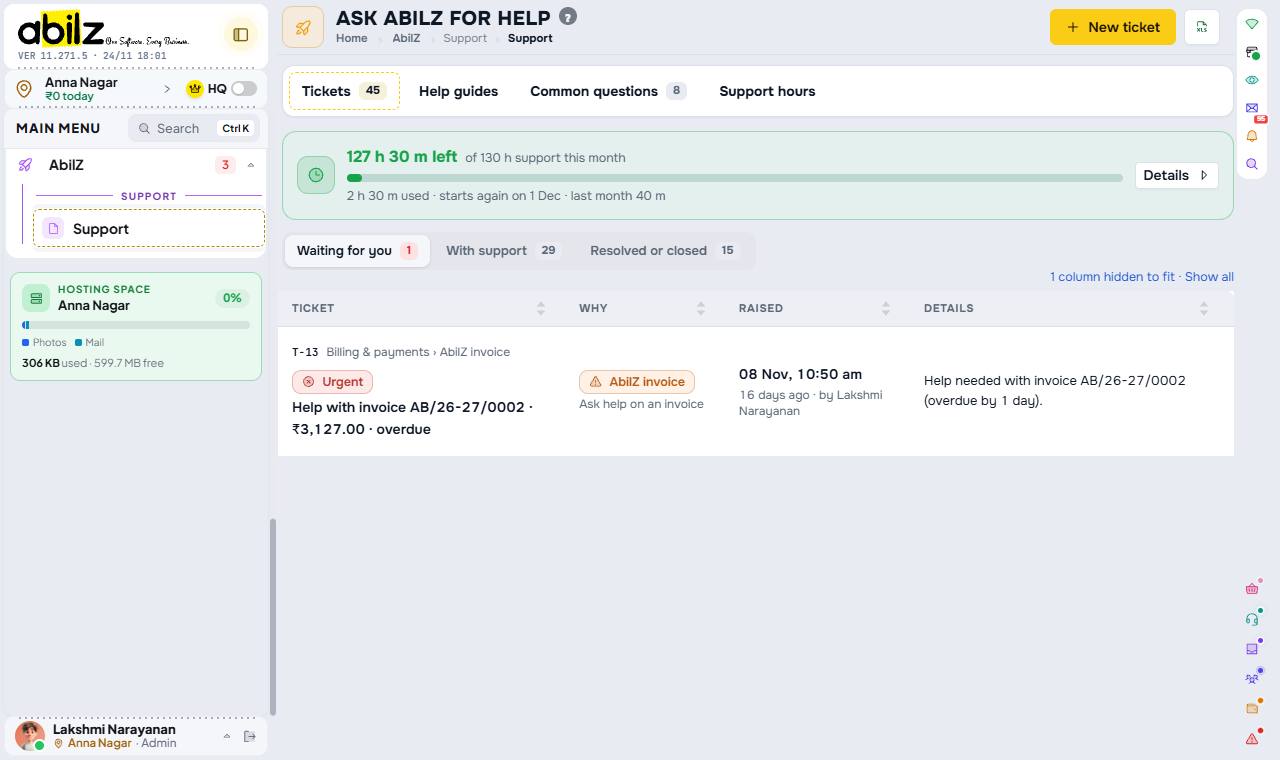
Follow your tickets and the answers on AbilZ › Support. Each ticket shows its area and module. The tabs are Tickets, Help guides (search every guide), Common questions and, when your plan has them, Support hours.
Something wrong in this guide?
