

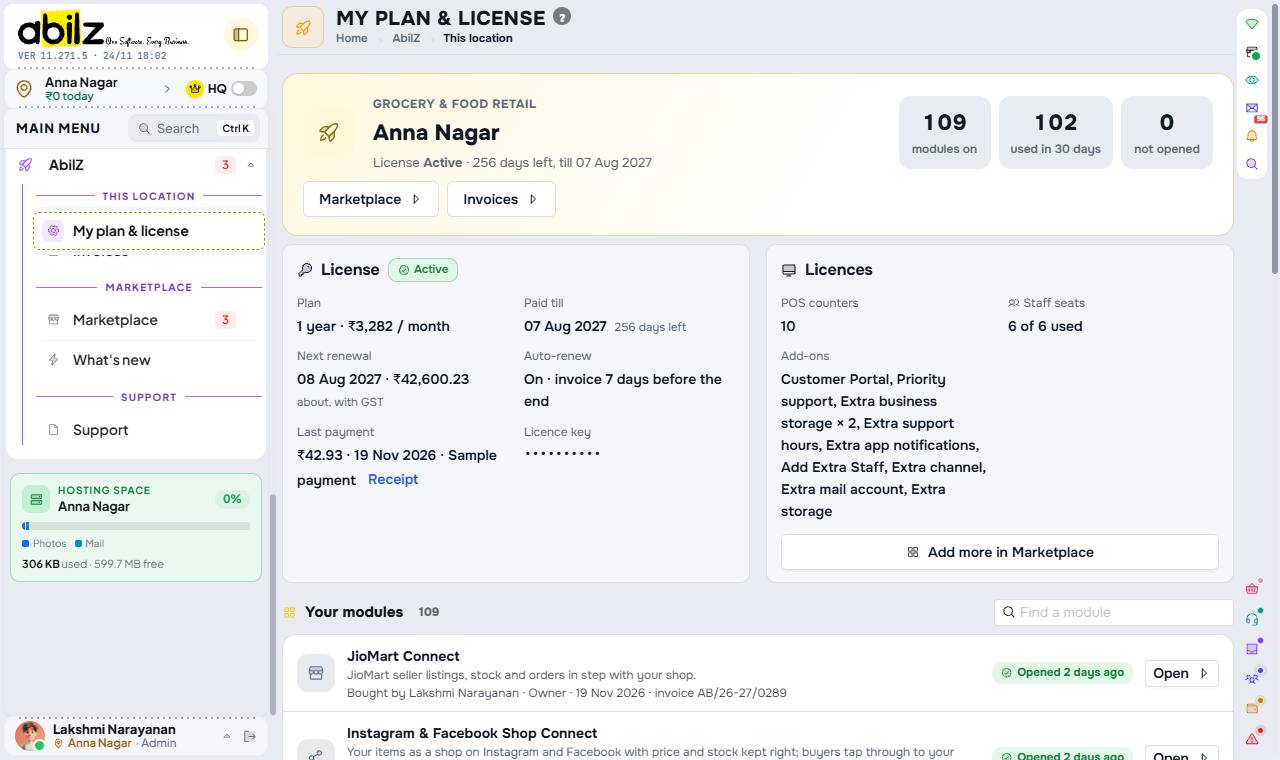
This location's details, your plan and license, its invoices, the Marketplace, what's new and AbilZ support, in one menu.
The AbilZ menu is about your AbilZ software itself. It has three parts.
This location
- Location details: this location at a glance: its details, people, devices and items.
- My plan & license: the modules on at this location, when each was last opened, and the ones nobody opened lately, with a short how-to. The owner and roles allowed to buy modules also see the license (plan, paid till, next renewal, last payment), the counters and staff seats, who bought each module, and the reminders AbilZ sent.
- Invoices: this location's AbilZ invoices, unpaid first. Open one to pay it. Only the owner and roles allowed to buy modules see this.
Marketplace
- Marketplace: every module and extra for this location. Recommended lists the ones suggested from your own figures of the last 90 days, each with the reason. The owner and roles allowed to buy add to the cart and pay; everyone else sees the same modules with Ask your owner to add it.
- What's new: what changed in AbilZ, newest first. Find a change.
Support
- Support: raise a ticket and follow the answers, search every help guide, and read the common questions.
Tip A count beside Marketplace is the number of new suggestions you have not seen yet. A count beside Invoices is the number of unpaid invoices.
Buying modules · Talk to AbilZ support
Was this helpful?
Something wrong in this guide?
Still stuck?Press ? in your portal, then Raise a ticket. It carries the page you are on.
Contact AbilZ