

Overview: the whole picture: goals and progress, data health, each location's health, and the top advice.
HQ › AbilZ Intelligence opens the pages below as tabs. HQ opens as its own menu from its row near the end of the Main menu (‹ Main goes back).
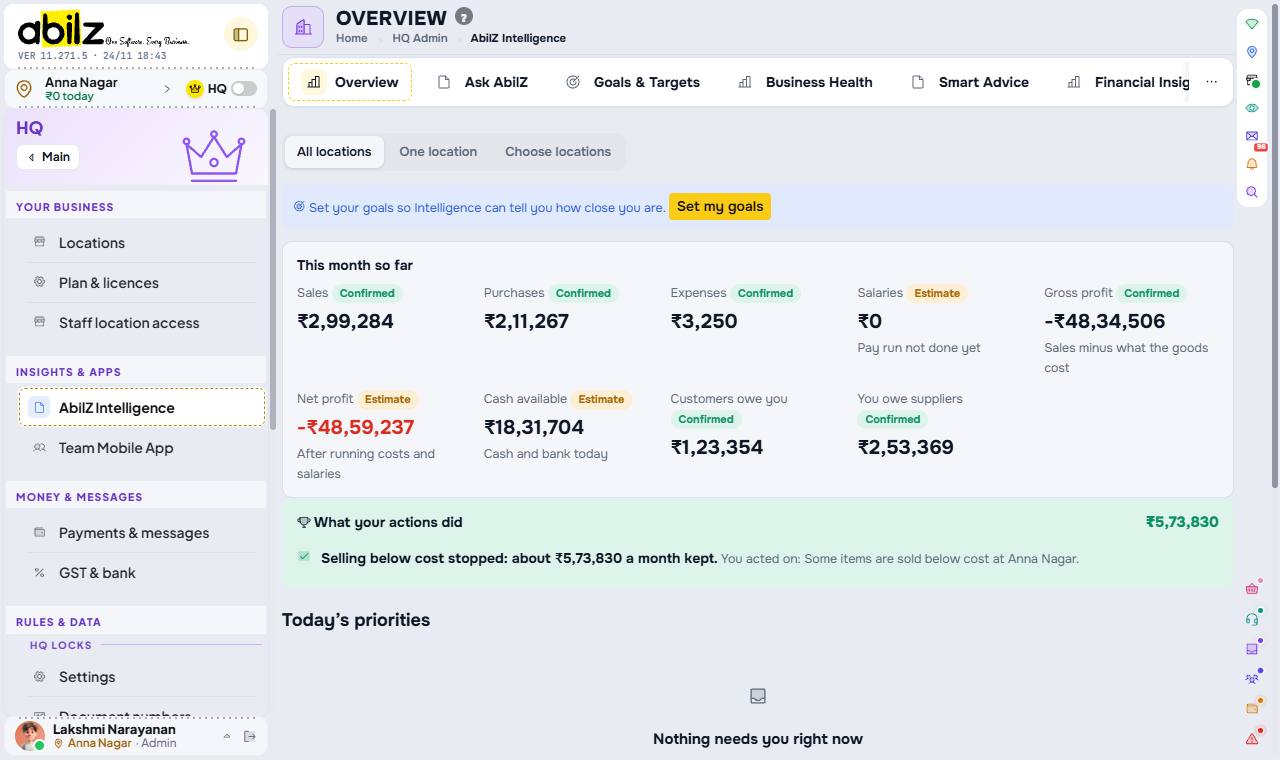
- Overview: the whole picture: goals and progress, data health, each location's health, and the top advice.
- Goals & Targets: the owner sets goals for the business and for each location: a month, a quarter or a year. Each goal can be on or off. A profit goal is worked backwards into the sales needed, split by each store's share.
- How you are doing at the top: each goal this month with On track, A little behind, Behind, Reached or Over the limit (money goals are compared with where they should be by today), and for sales what is needed a day.
- Use all suggestions fills every goal from your last 3 months in one click. A quarter or year goal shows what it means a month; the sales goal shows about how much a day.
- Check these goals warns when goals do not fit together (a profit goal your sales and margin cannot reach, an expense limit far below your usual costs, a sales target over double your best month).
- Last 6 months shows each month against the goals you have now (✓ reached, ✕ missed), and each goal says in how many of those months it would have been reached, so you can set targets that are hard but possible.
- Location targets: each location can have its own sales and profit target; Suggested target for every location fills them in, and each location shows its pace.
- Staff targets: give each person a monthly sales target (or press Suggested target for everyone: their usual month plus 10%). Each person shows what they sold this month from their counter bills, bills made, what is needed a day and whether they are on track. Targets show on this page only; no messages are sent to staff. A staff member who opens this page sees only their own target.
- Goals then: from now on the goals are kept month by month each time you save, so the Last 6 months table can also judge each month by the goals it had then (the switch shows once a past month has saved goals).
- Save goals works when something changed; Undo changes goes back, and leaving the page with changes not saved asks first.
- Business Health: five lights for each location (green, gold or red), each with the figures, the reasons and what to do.
- Smart Advice: the advice, ranked by money impact, fit with your goals, urgency and confidence.
- Financial Insights: cash against your reserve, expenses running above their usual month, and money customers owe. Only the owner, or a role that may see the accounts.
- Forecast & Planning: where the month will end, with what-ifs (a price up, one more staff member, a new branch). A what-if is only shown, never applied.
- Intelligence Settings: switch data sources on or off. A source switched off is left out, never counted as zero.
- Ask AbilZ: type a question in plain English or Tamil, such as "Which items should I reorder?". The answer comes from your own figures, for the locations you may see.
Was this helpful?
Something wrong in this guide?
Still stuck?Press ? in your portal, then Raise a ticket. It carries the page you are on.
Contact AbilZ