

Your customer list, each customer's page, customer groups with their discount and price level, and segments.
The Customers menu has three sections: Customers (Customers, Customer self sign-up, Visits & staff activity, Customer segments), Loyalty (Loyalty & store credit, Gift cards, Refer a friend) and Feedback & leads (Feedback & reviews, Leads & follow-ups). You see only the pages your modules and your role allow.
The customer list
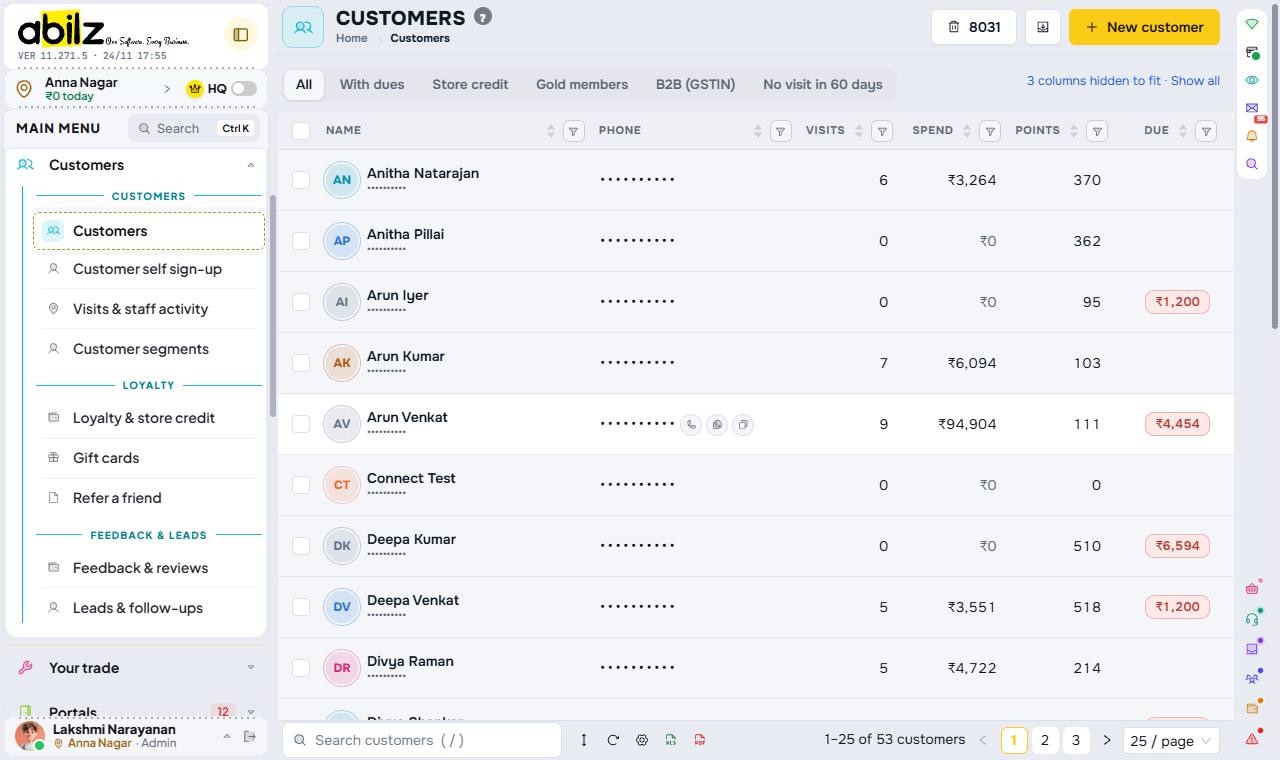
Customers › Customers shows each customer's Phone, Group, Area, Visits, Spend, Points and Due. Choose a group to see only those.
On a phone the list has no page numbers: more customers load as you scroll down. The letters A–Z on the right jump to the first customer whose name starts with that letter. Tap a letter, or slide your finger down the letters. Pale letters have no customers. Items, Suppliers, Staff, Customer groups, Roles, Categories and HQ › Locations have the same letters on a phone.
One customer's page
Open a customer to see everything in one place, in tabs: Journey, Bills, Visits, Offers, Addresses, Points & credit, Coupons used, Activity and Details. Mails shows with Business Mail, and Eye power for opticians.
- With the Helpdesk module, a Helpdesk tickets box shows the customer's tickets, and Raise a ticket starts a new one.
- Edit their details, New bill for them, Add deposit (store credit), or Collect dues.
- Edits, deposits, points and dues are all recorded in Activity.
Customer groups
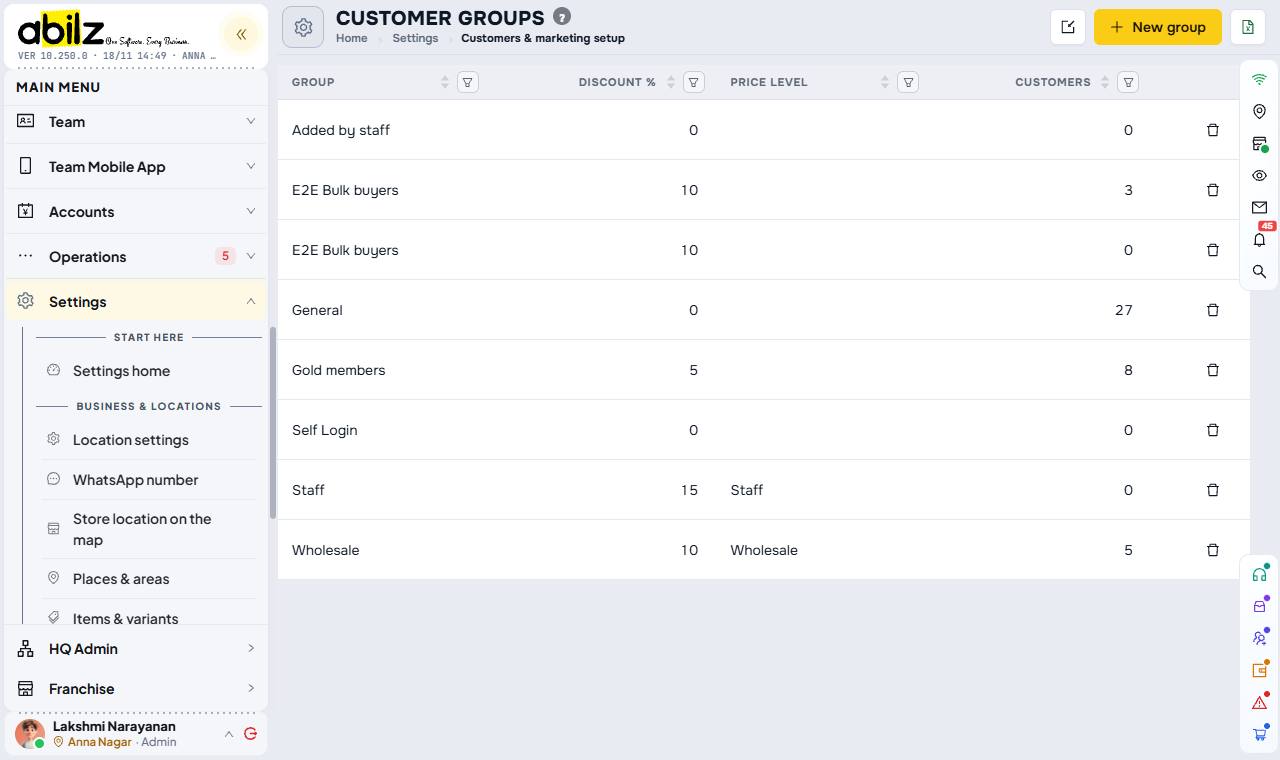
Settings › Customers & marketing setup › Customer groups. A group (for example Gold, Wholesale) has its own Discount % and Price level. Customers in it get them on every bill.
Customer segments
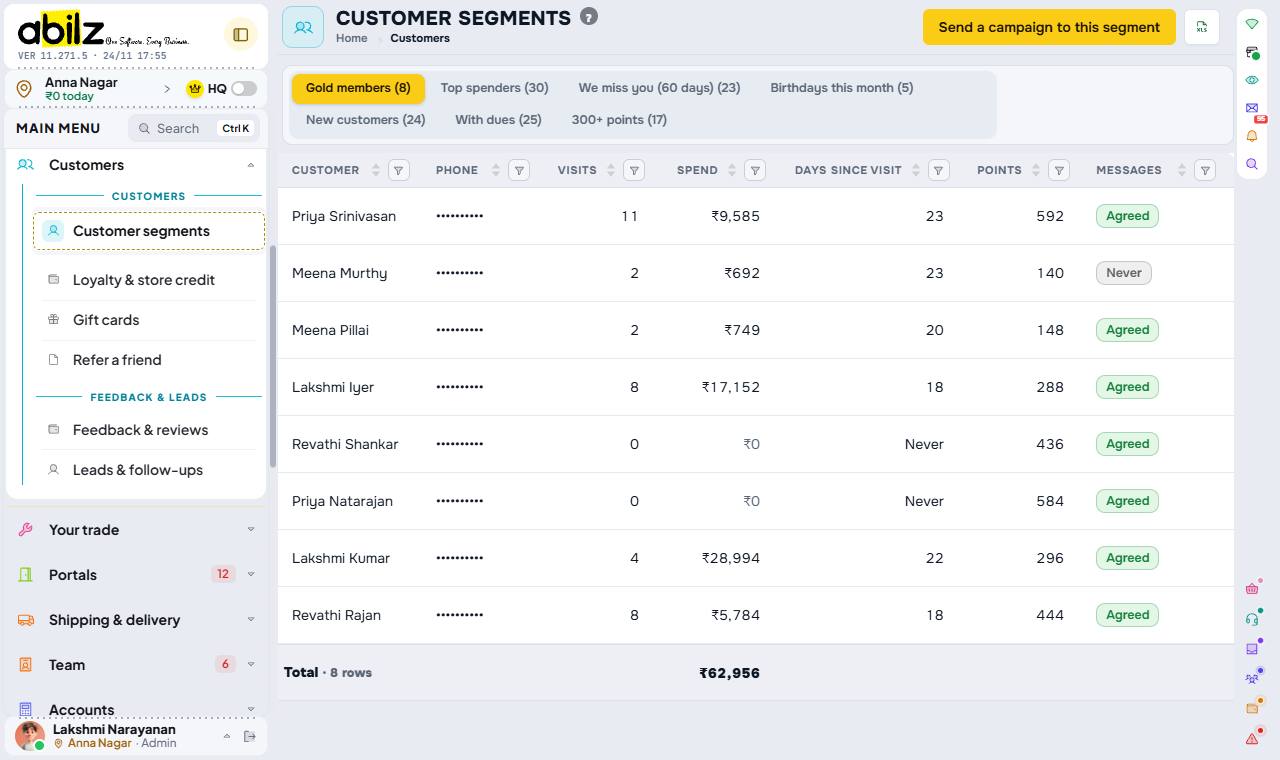
Customers › Customer segments sorts customers by how they buy: Visits, Spend, Days since visit, Points. Use a segment to send a message to just those customers. For your own rules, see the Segment builder in Marketing.
Something wrong in this guide?
