

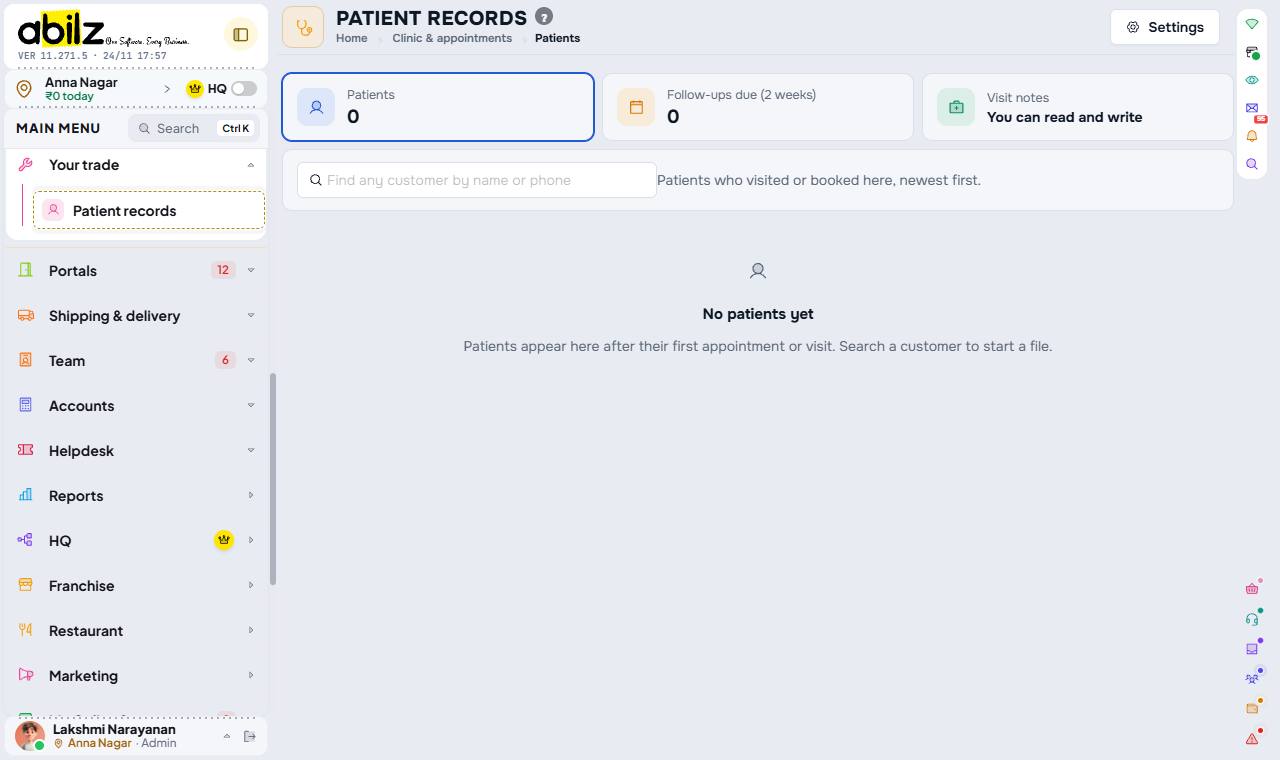
Clinic & appointments › Patients › Patient records (with more than one trade menu: Your trade › Clinic & appointments › Patient records) lists the patients of the location you work in: everyone with a visit or an appointment here, newest first.
- Search finds any customer by name or phone. Open one to start their file.
- The Follow-ups due tile lists patients whose next visit is due within 2 weeks. Overdue ones are red. Remind opens WhatsApp with a reminder.
The patient file has:
- the patient's name, age, gender and blood group, with Call and WhatsApp;
- allergies in red;
- three tabs: Visits, Appointments and Bills.
New visit (doctors only) records:
- the doctor and the date;
- complaint, findings, diagnosis, treatment and advice;
- the next visit (the 7 days / 14 days / 1 month buttons set it quickly).
Visits from appointments: in Appointments, open an appointment that has arrived or is done, then tap Patient file · write the visit notes. The visit is linked to that appointment and its invoice.
Who sees the notes: visit notes, allergies and long-term conditions are only for the owner and for roles with Patient notes (doctors) ticked (Settings › Roles & permissions, special permissions). Reception sees the patient, the visit dates, the doctor and the next visit, but not the notes. Every visit written or changed, and every patient file a doctor opens, is in the audit log.
Something wrong in this guide?
