

How reliably each supplier delivers: on time, how late, and how much is short.
Switch on Settings › Start here › Features, group Purchases & suppliers, Supplier delivery score, and set Counted late after … days.
Give each purchase order an Expected by date (on the order, or for many orders at once from the Purchase orders list). When the goods are received, AbilZ keeps the day they came and compares it, and the quantities, with the order.
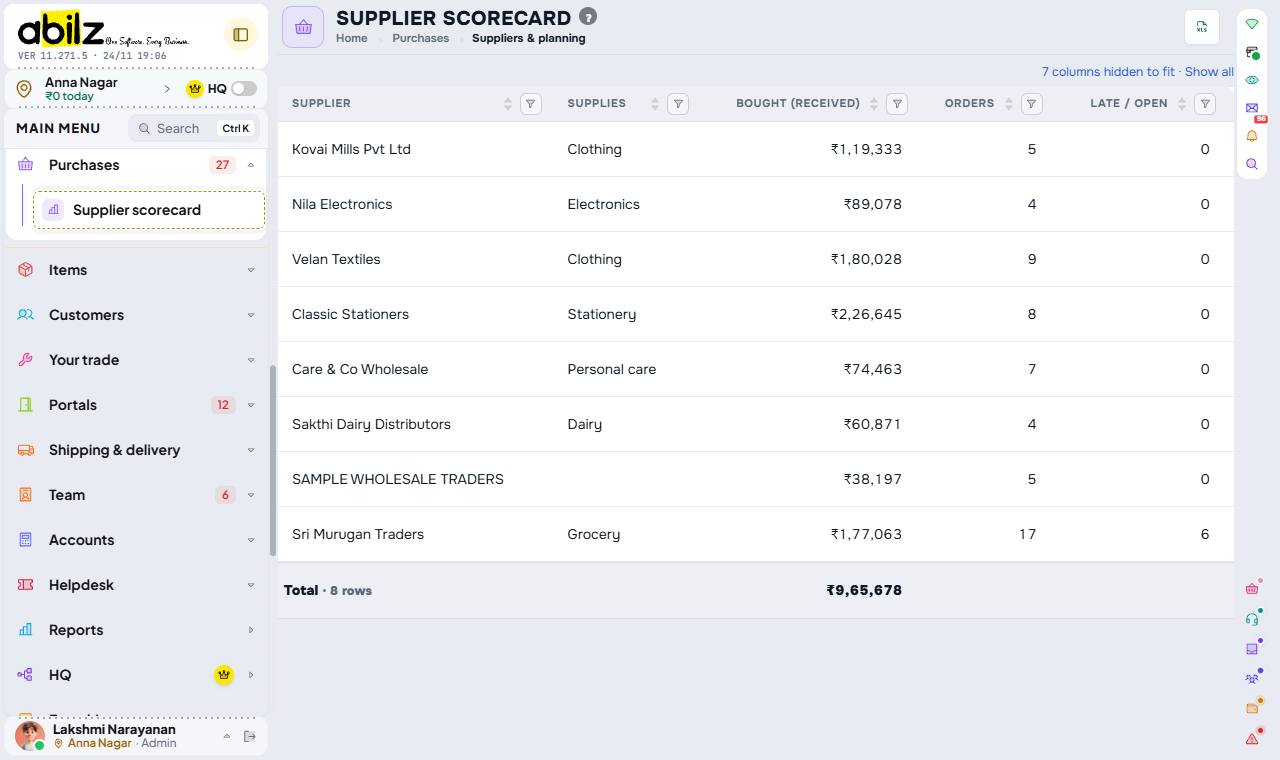
Purchases › Suppliers & planning › Supplier scorecard then shows for each supplier:
- On time: the share of orders that came within the days allowed after the expected date (orders still not here count as late once the date passes);
- Avg. days late;
- Short supplied: the share of ordered units that never came.
The overall Score uses this on-time figure. When you make a new purchase order and pick the supplier, a line under the supplier shows the same, for example "Delivery: 80% on time · 2 days late on average · 5% short supplied (12 orders)".
Something wrong in this guide?
