

The Purchases menu in the order of the work, Purchases home, and paying suppliers: due this week, bills to check, advances.
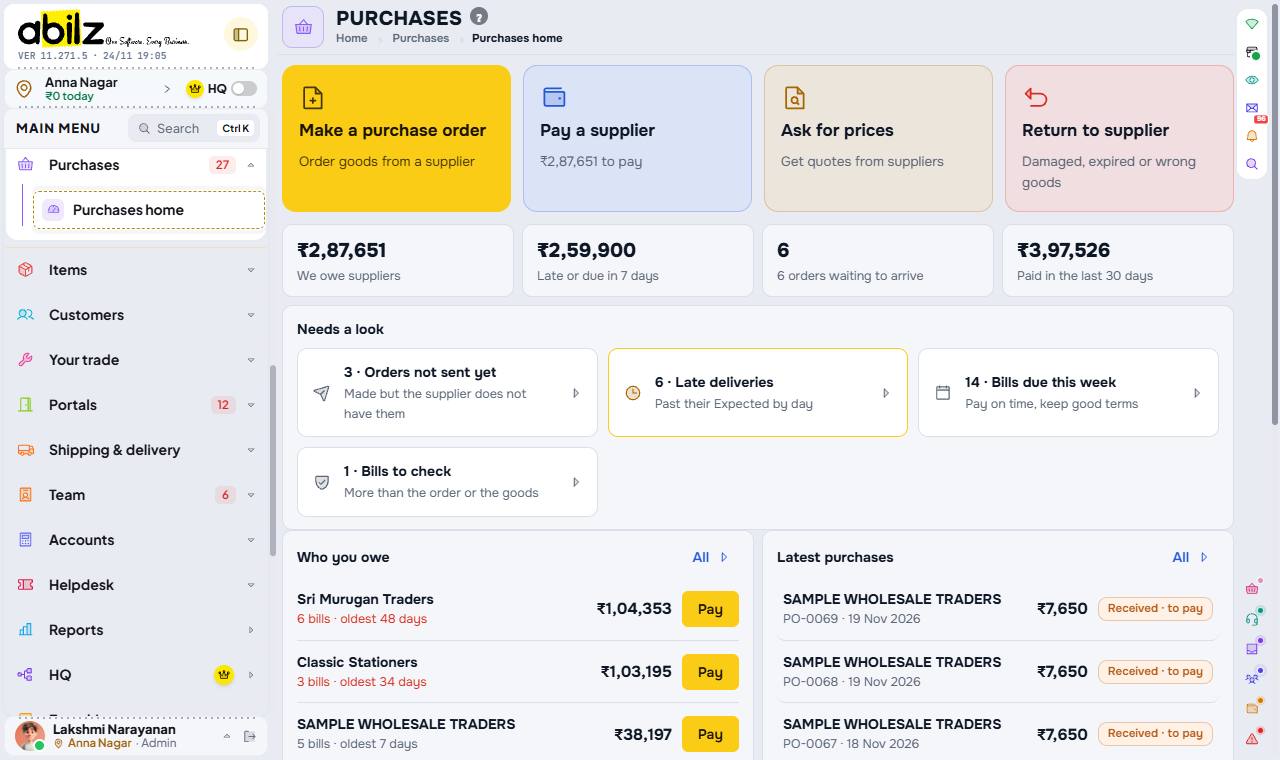
The Purchases menu is in the order of the work. A number beside a row is waiting work only.
- Purchases › Purchases home: the big buttons for the everyday jobs (Make a purchase order, Pay a supplier, Ask for prices, Return to supplier), what you owe suppliers, what is late or due in 7 days, orders waiting to arrive and what you paid in the last 30 days. Needs a look shows only when something is waiting (orders not sent yet, late deliveries, bills due this week, bills to check). Below are Who you owe (with Pay) and the Latest purchases.
- Purchases › Ask & order: Purchase requests, Supplier quotations (with Compare quotations as a tab), Purchase orders, Recurring orders.
- Purchases › Receive & bill: Goods received, Purchase bills, Bill Scan.
- Purchases › To do: the work waiting, as tabs at the top of their list: Orders not sent yet and Late deliveries (on Purchase orders), Bills due this week and Bills to check (on Supplier payments). Their counts show on the list's row in the menu.
- Purchases › Pay & adjust: Supplier payments (with Supplier advances), Purchase returns (with To return), Supplier debit notes.
- Purchases › Suppliers & planning: Suppliers, Reorder planner, Supplier scorecard, MSME payment watch (India), Consignment stock (with its module).
The tabs at the top of a page show each page's menu icon: grey when closed, in the menu's colour when open.
Supplier payments
Purchases › Pay & adjust › Supplier payments lists the supplier bills still to pay, by supplier, oldest due first.
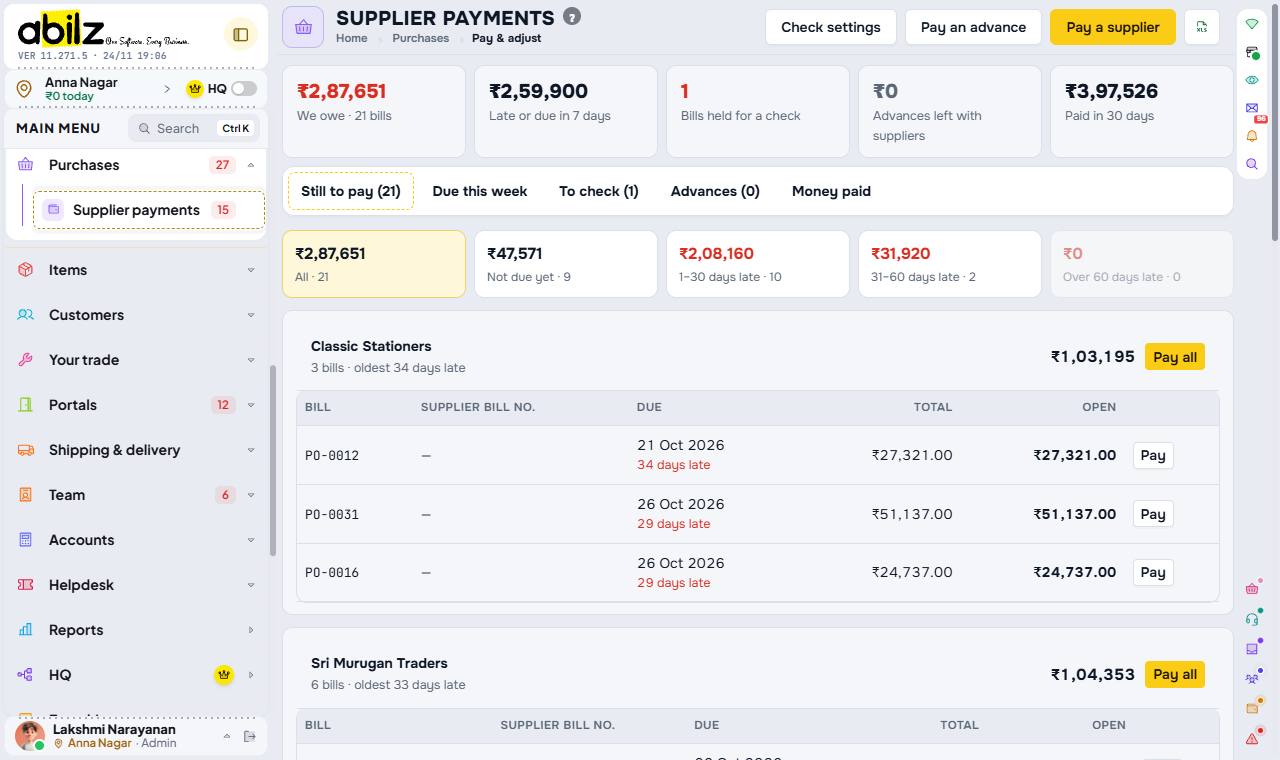
- On top: what We owe, what is Late or due in 7 days, Bills held for a check, Advances left with suppliers and what was Paid in 30 days.
- Tabs: Still to pay, Due this week, To check, Advances and Money paid. Tap a group by how late to see only those bills.
- Pay all on a supplier, or Pay a supplier on top: one payment goes over that supplier's oldest bills.
- Pay an advance pays a supplier before their bill comes. It is kept as an advance and Use advance puts it on their next bills.
- Check: a bill that is more than the order or the goods received (by more than the allowed difference) is held and not paid. Check with the supplier or make a supplier debit note; to pay it as it is, an owner or manager approves it with their PIN. The owner sets the allowed difference in Check settings.
Costs you paid yourself for the goods (transport, loading, toll) are not owed to the supplier: see Freight, other charges and costs paid to others.
Was this helpful?
Something wrong in this guide?
Still stuck?Press ? in your portal, then Raise a ticket. It carries the page you are on.
Contact AbilZ