

How payments post to the books, opening balances, how your stock is valued (moving average, FIFO or LIFO), GST registrations, the accountant's login and the tools for special cases.
Accounting settings
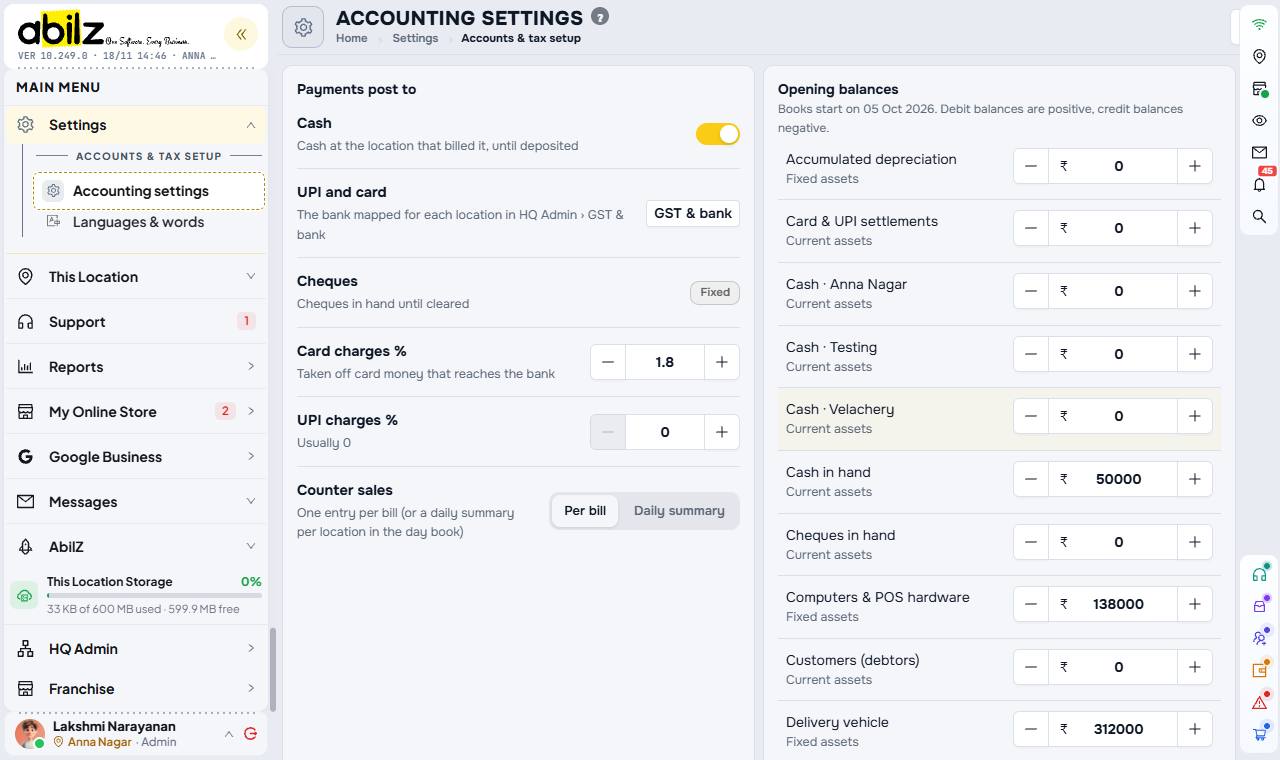
Settings › Accounts & tax setup › Accounting settings. How bills and payments reach your books:
- Payments post to: cash stays at the location that billed it until it is deposited; UPI and card go to the bank set for each location in GST & bank; cheques sit in Cheques in hand until cleared. Set the card charges % and UPI charges % the bank keeps, and whether counter sales go in Per bill or as a Daily summary.
- Opening balances: what each account held on the day your books start. If they do not add up, put the difference in Owner capital.
- Export and accountant: Export to Tally (XML) or Export to Excel for a period, and Invite accountant (read-only): your CA gets their own sign-in that sees Home, Accounts and Reports and changes nothing.
Changes wait until you press Review & save: the books keep posting the old way until then, and saving asks for your password.
Stock value method
On the same page, Stock value method decides how the stock you hold is valued, and so what the goods you sold cost you in your true profit and the balance sheet.
- Moving average: each purchase moves the item's average cost; what is left is valued at that average. The way Tally and most Indian accountants keep stock.
- FIFO (first in, first out): sales use up the oldest stock first, so what is left is valued at your latest purchase prices.
- LIFO (last in, first out): sales use up the newest stock first. Shown only to businesses in the USA; once you use it for your taxes, the IRS expects you to keep it.
The method AbilZ recommends for your country is marked Recommended: moving average in India, FIFO everywhere else (the usual way under US rules and IFRS). The one you use now is marked In use. Until you change it, stock is valued at moving average.
To change it, pick the method, choose the day it starts on and press Change to…. The day must be after any month you have closed and after the last change, so the months before it keep the value they had. The changes so far are listed under the cards. Only the owner (HQ Admin) can change it.
GST & bank
HQ › GST & bank.
- GST registrations: one per state (the state is the first two digits), or more for separate business lines. Items in chosen categories can bill under another GSTIN: the counter keeps them on a separate bill, and the receipt prints that GSTIN.
- Bank for each payment: UPI and card money posts straight to the bank chosen here (card net of charges); salaries are paid from the salary account.
Setup & more tools
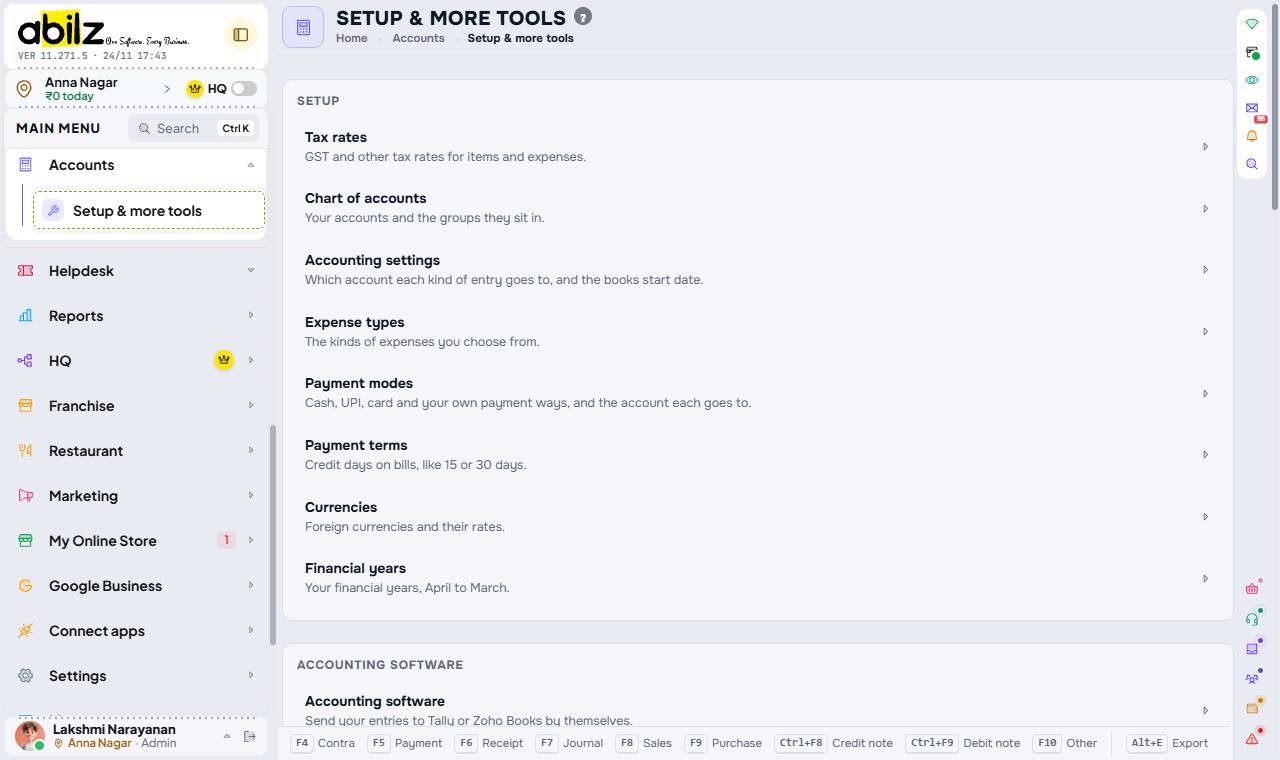
Accounts › Setup & more tools has:
- Setup: the lists in Settings › Accounts & tax setup (tax rates, chart of accounts, accounting settings, expense types, payment modes, payment terms, currencies, financial years).
- Accounting software: send your entries to Tally or Zoho Books by themselves, match ledgers and see the sync log.
- Your books are yours: Download all my books in one Excel file, and for the owner Copy to my Google Drive by itself.
- Show every accounting tool on the Accounts pages: off, each Accounts page shows the everyday tools and the ones you use, and the rest wait under For special cases; on, every tool is a full card. Each tool below says Shown as a card, Comes up once you use it or Shows with the switch. Only the owner or the accountant can change this switch.
Marketplace payouts
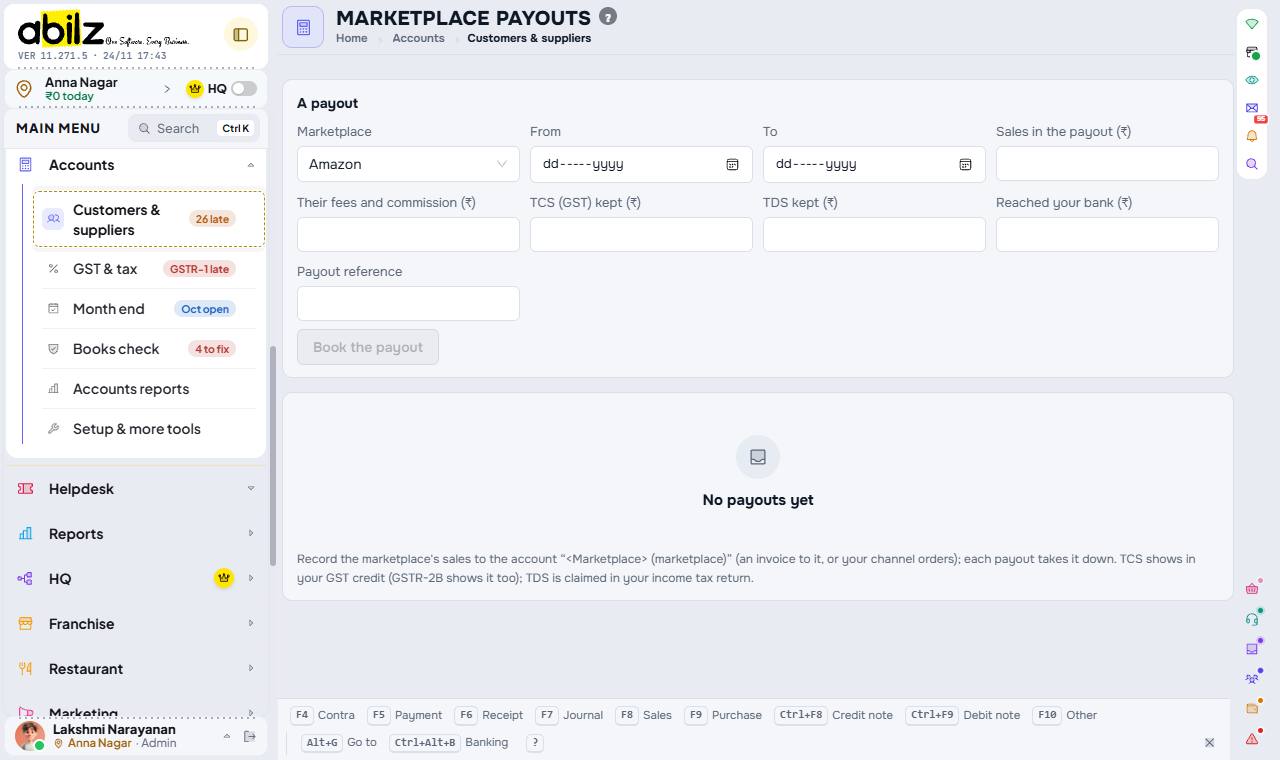
Accounts › Customers & suppliers › Marketplace payouts: money from marketplaces (orders sold on other sites), with their fees, matched to your bank.
Something wrong in this guide?
