

Your ledgers, a ledger statement, trial balance, profit and loss, balance sheet, cash flow and budget vs actual.
Chart of accounts
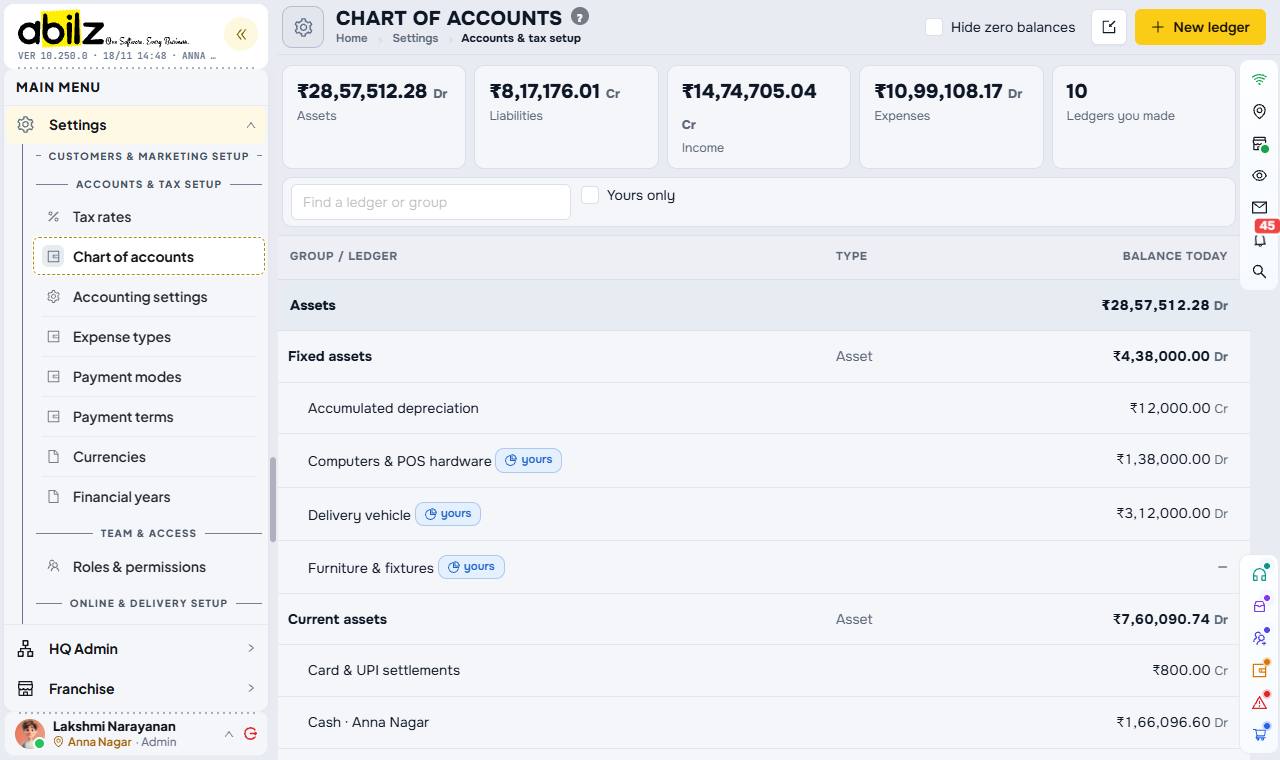
Settings › Accounts & tax setup › Chart of accounts. Your ledgers in their groups. Find a ledger or group, or add one, for example Axis Bank · Current a/c.
The statements
All in Reports › Accounts & GST (the Reports menu opens from its row in the Main menu), and also as cards on Accounts › Accounts reports:
- Ledger statement: every entry of one ledger with its running balance.
- Trial balance: every ledger's balance. Both sides are equal when the books are right.
- Profit & loss: what you sold, what those goods cost, your running costs and what you kept. See How your profit is worked out.
- Balance sheet: what the business owns and owes. Stock shows with the way it is valued, for example Stock in hand (at FIFO cost). If the two sides differ, the page says by how much; run Books check.
- Cash flow: where cash came from and where it went.
- Budget vs actual: your budget for each head against what was spent. Spending fast means more than 15 points ahead of the month so far. Fixed bills like rent count on the day they are posted.
For HQ and owners
- HQ › Locations › Profit & loss (a tab): profit and loss for every location.
- Accounts › Accounts reports › Cost trends: how your main costs move month by month.
Note Outside India the amounts show in your own currency and the Accounts & GST names use your country's tax word (for example Accounts & VAT).
Was this helpful?
Something wrong in this guide?
Still stuck?Press ? in your portal, then Raise a ticket. It carries the page you are on.
Contact AbilZ