

The year's checklist and one button to close it, plus the CA checklist, Tally totals and what to set aside.
Accounts › Month end › Year-end has the year's checklist and one button to close it. Each line says what is left and opens the page to do it; Auditor pack (every report) gives your CA everything. Your financial years themselves are in Settings › Accounts & tax setup › Financial years.
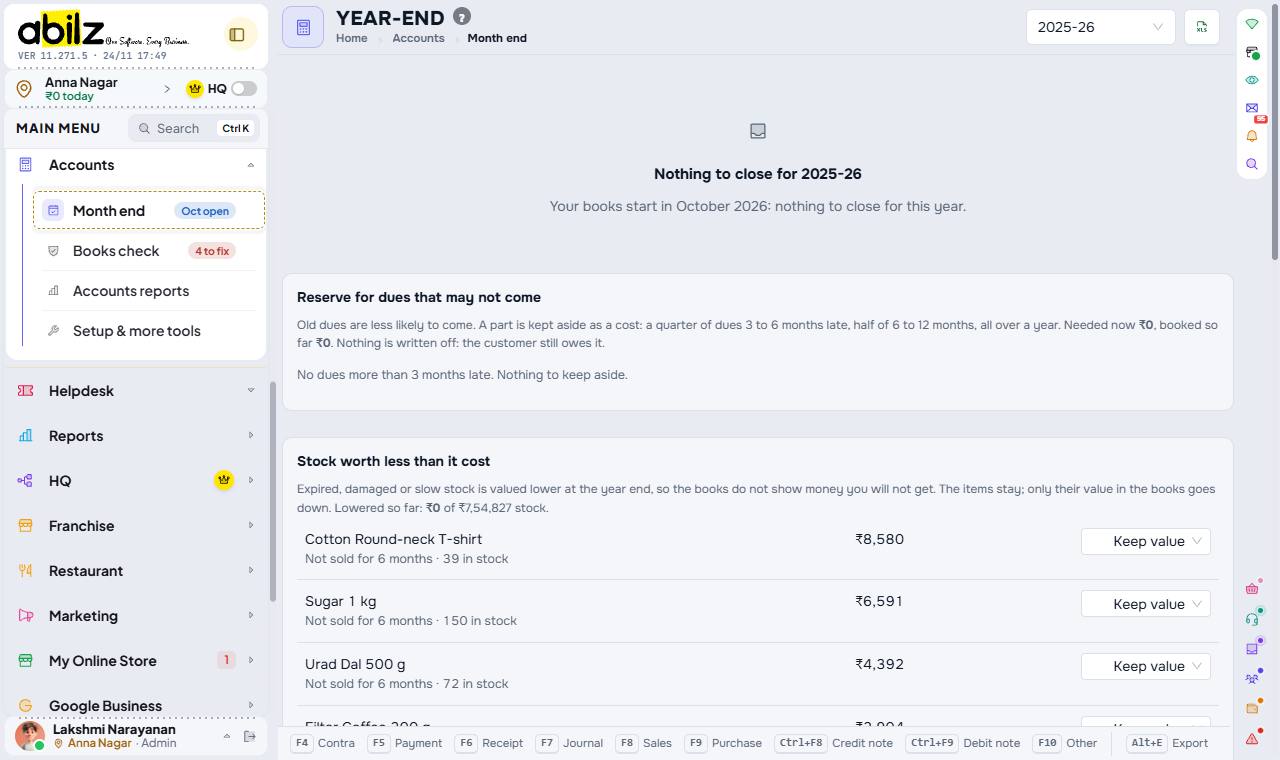
On the same page
- CA checklist with ticks, comments and who did it.
- Tally export control totals that must match.
- Tidy up accounts never used (hidden from lists, never deleted).
- Reserve for dues that may not come (Accounts › Month end › Bad debt reserve): a part of old dues kept aside by age, booked or adjusted in one tap.
- Stock worth less than it cost (Accounts › Month end › Stock write-down): write expired or slow stock down by a percentage.
- What you owe staff, set aside (Accounts › Month end › Staff dues set aside): bonus, gratuity and earned leave not taken, from salaries and years of service, booked in one tap.
- For the tax audit (3CD): see Tax audit helper.
Was this helpful?
Something wrong in this guide?
Still stuck?Press ? in your portal, then Raise a ticket. It carries the page you are on.
Contact AbilZ