

What it does. Book a courier for an order from AbilZ, print the courier's label, follow the parcel and see the cash-on-delivery (COD) money coming back. You use your own Shiprocket account. One Shiprocket account reaches 25+ couriers (Delhivery, Xpressbees, Ekart, DTDC, Blue Dart and more). Shiprocket bills you directly; AbilZ never holds your courier money.
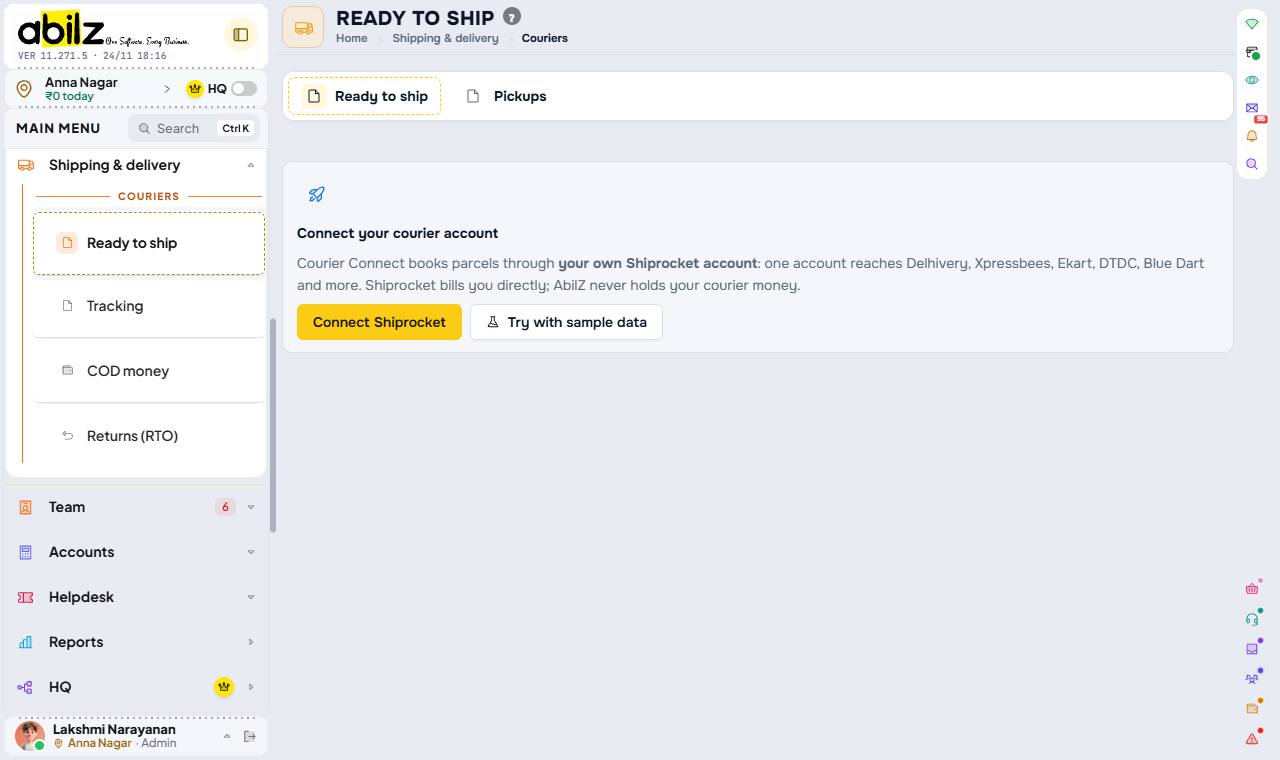
Connect your account (once).
- Make a free account at shiprocket.in and add your pickup address there (Settings › Pickup addresses).
- In Shiprocket open Settings › API › Configure (Shiprocket's own menu) and create an API user (an email and password just for AbilZ). Do not use your own sign-in.
- In AbilZ open Connect apps › Couriers › Courier accounts, type the API user email and password, press Save and connect. AbilZ reads your pickup addresses; choose the one this location ships from.
- Set the usual parcel weight and size, whether the pickup is asked at once, and whether AbilZ should pick the cheapest courier for you.
- Switch on Book online store orders by themselves when packed if you like: the moment an online order going by Shiprocket is Packed, AbilZ books the courier (the best rated within 25% of the cheapest, or the cheapest when that switch is on; a cash-on-delivery courier when the order is not paid), prints the label and asks for the pickup. If it cannot (for example the address has no PIN code), the order gets a note and waits in Ready to ship.
HQ Admin can set one account for every location (switch "Set HQ's account", then "Every location without its own account uses this one"). A location that types its own account uses its own.
Your online store uses the same account. In My Online Store › Setup › Delivery & payment, switch on Shiprocket for a location: it uses the account above, so there is nothing to type there. If Shiprocket Connect is not on at that location, the switch says so and takes you to Connect apps.
Not ready yet? Switch on Sample mode to try everything with made-up couriers, prices and tracking. Nothing is booked or charged. Turning it off removes the sample parcels.
Every day in the Shipping & delivery menu, section Couriers (Shipping & delivery › Couriers › Ready to ship, with Pickups as a tab, then Tracking, COD money and Returns (RTO)). The account itself is in Connect apps › Couriers › Courier accounts.
- Ready to ship: accepted online orders going by courier with no parcel yet. Press Book courier, check the address, weight and COD amount, press See couriers and prices, pick one (price, days, rating) and Book. The AWB number, label and pickup come back at once. The order gets the courier name, AWB and a note.
- Not an online order? Type an invoice or delivery note number under Book for an invoice or delivery note, or use Book any parcel.
- Pickups: parcels waiting for the courier boy. Tick several and press Ask for pickup. Print labels gives all their labels in one PDF; Pickup sheet (manifest) gives the list the courier signs when he takes the parcels.
- Tracking: On the way, Not delivered, Delivered. It updates by itself every 30 minutes; Update tracking asks now. For updates the moment they happen, see Tracking updates from Shiprocket below.
Tracking updates from Shiprocket (once). In Courier accounts, press Show the web address and token. In Shiprocket open Settings › API › Webhooks, paste the Webhook URL and the Security token, and save. From then on every step of every parcel reaches AbilZ at once. New token makes a new one (paste it in Shiprocket again).
Your customer is told. For online store orders, the customer gets one message when the parcel ships (with a tracking link), when it is out for delivery (with the cash to keep ready for COD), when it is delivered, and when the courier could not deliver it (asking them to fix the address or a time). The messages go the way your store sends order updates (app notification, WhatsApp, email). The tracking link opens a page with your shop's name and logo, the courier, the tracking number and each step; it never shows the customer's address or mobile number. Sample parcels never message anyone.
- Not delivered (in Tracking): open the parcel. WhatsApp the customer from your own WhatsApp to ask what happened, then press Try again (you can pick a day up to 7 days ahead, a new mobile number, a corrected address and a note for the delivery person) or Send it back to us. The customer hears "out for delivery" again on the new try.
- COD money: money still travelling with parcels, and money due from the courier after delivery. When the courier's transfer reaches your bank, tick the parcels and Mark money received with the UTR or remittance number. Faster: download the COD remittance report in Shiprocket (Billing › COD Remittance), press Choose the report and pick the file: every parcel in it is matched by AWB. You see what matches, what is not delivered yet and what is not found before anything is saved.
- In the books: with Also put it in the books on (choose the bank account), the money moves from COD with couriers to your bank, one entry per remittance. If the courier paid less than the COD it collected, the difference goes to Courier charges. An online order delivered by courier is recorded as COD (courier) when you mark it delivered, not as cash in the drawer.
- Customer returns: when you accept a return on an online order (My Online Store › Orders & money › Orders › the order › Accept return), it waits at the top of Returns under Customer returns waiting for a pickup. Press Book return pickup: the courier collects the item (the one the customer named, else the whole order) from the customer and brings it to this location, and the customer gets a message with the tracking link. With Book online store orders by themselves when packed on, the pickup is booked the moment you accept the return. When it reaches you, open it and press Received back at the shop, then make the credit note from the invoice.
- Returns (RTO): parcels the courier could not deliver and is bringing back. When one is back on your shelf, press Received back at the shop, then take the stock back with a return or a stock adjustment as usual.
Cancel. A parcel can be cancelled until the courier picks it up. After that, ask the courier for a return.
Something wrong in this guide?
