

My Online Store › Wholesale › Access approvals › Quick Order settings: a fast order page for wholesale buyers, at your store address /order, and each store its own (/order/anna-nagar).
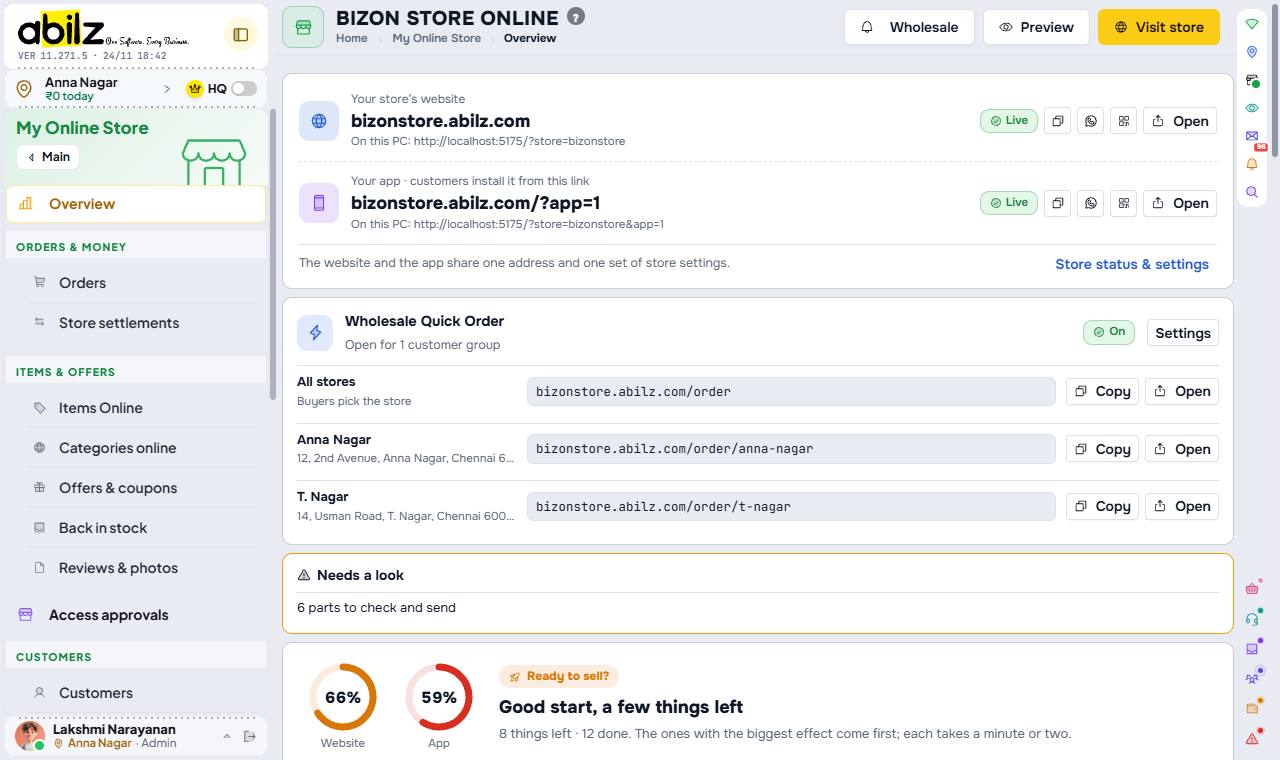
- My Online Store › Wholesale › Access approvals › Quick Order settings (a tab of Access approvals): a fast order page for wholesale buyers, at your store address /order, and each store its own (/order/anna-nagar). The addresses show here and on the Overview, with Copy and Open.
- It is on for every store from the start, with a Wholesale buyers: order here link in the website footer (switch: Wholesale link on the website). Until you tick a group, buyers can only ask for access.
- Allow ordering items that are out of stock (switch): buyers can order them; you see the stock on each line and can change the order before accepting.
- Pick the customer groups that may order; their price level and discount are their price. Other customers can ask for access: approve them in My Online Store › Wholesale › Access approvals into a group.
- Switches: pictures, MRP, stock (off, In/Low/Out, number), prices (group price or hidden), buyers choose the store (and which stores), My account and each menu item, minimum order, pay later, note.
- Buyers sign in with their mobile number, pick the store, search or pick a category, type quantities and send. The order comes to My Online Store › Wholesale › Orders › Wholesale orders (a tab of Orders) and takes no stock until you accept it.
- Buyers see My orders (status, payment, invoice, what you changed), Order again, Payments & dues (credit left, Pay on each bill), Invoices, Statement (with PDF), Saved lists, Addresses, Profile (GSTIN) and Help. Each one has its own switch.
- Before you accept a new wholesale order (Orders, tagged Wholesale): change quantities, remove or add items; the buyer sees the changes. Accept makes the invoice and takes the stock at once (from the store the order comes from, when it has its own GSTIN). Cancelling gives the stock back.
Was this helpful?
Something wrong in this guide?
Still stuck?Press ? in your portal, then Raise a ticket. It carries the page you are on.
Contact AbilZ