

Always an app: the installed app always uses the app layout, even before you publish a design.
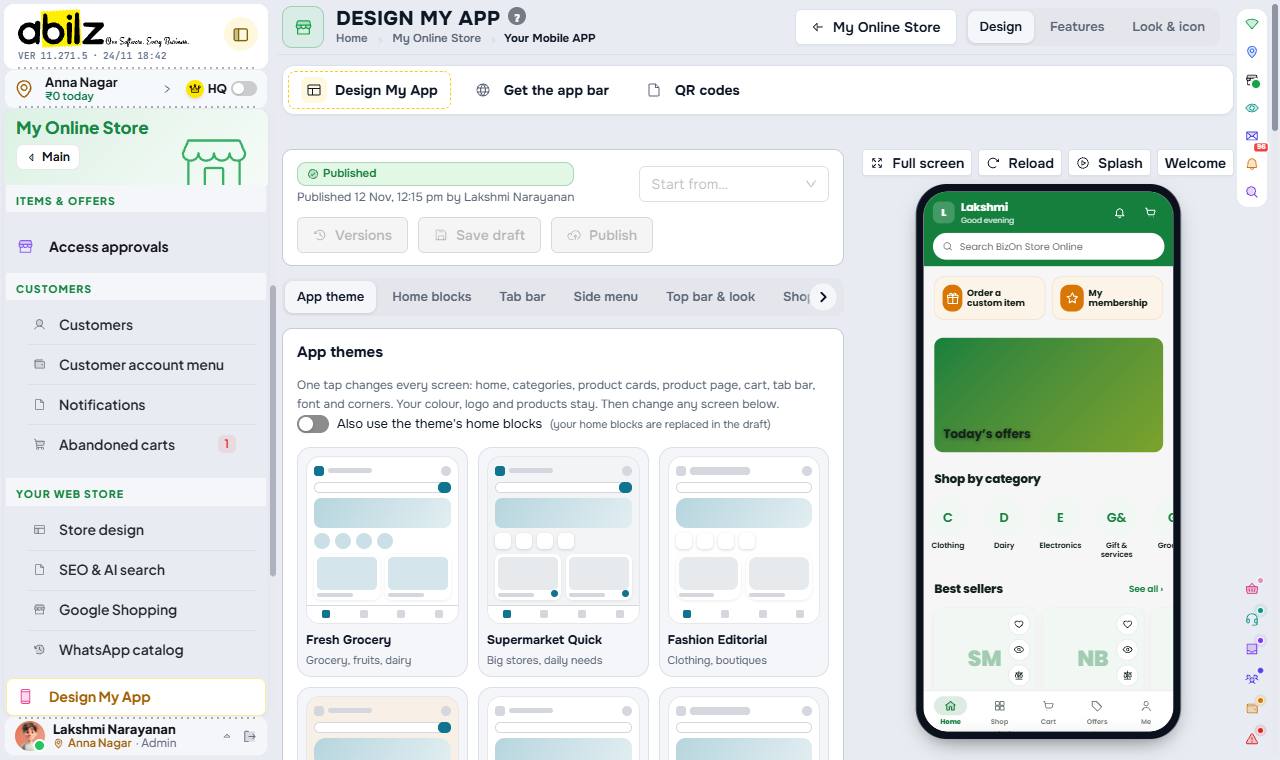
- Always an app: the installed app always uses the app layout, even before you publish a design. Your website stays as it is for browsers.
- Design My App › Design › Product page: switch each part on or off and drag it into your order: pictures (always on), name and stars, price, size and colour, stock, offers, delivery check, why buy here, Ask on WhatsApp, Share with friends, about the product, bought together, customer photos, reviews, you may also like, recently viewed. Choose pictures edge to edge or in a card, and the buttons at the bottom: Add to cart + Buy now, or Add to cart only.
- Design My App › Design › Shop page: search box, category chips, offer strip, type chips, sort and filter buttons, how many products, and the products (always on). Choose 1 (list), 2 or 3 products in a row. Sort and filter open from the bottom of the screen.
- My Online Store › Items & offers › Reviews & photos: customers who bought a product write a review with up to 3 photos. With Check reviews before they show on (it is on by default), each new or changed review waits here as Under review. Press Publish with photos, Publish without photos or Do not publish, or select several and do it at once. The customer gets a notification either way and sees the state in Me › My reviews. Reply shows your answer under the review.
- Share with friends: when a customer shares the app or a product, the friend opens the link and sees an install screen with your icon, who invited them and the product. After installing, the app opens on that product (on Android). App customers shows Invited by for each phone. Switch this off in Design My App › Get the app bar › Shared links: install the app to view.
Was this helpful?
Something wrong in this guide?
Still stuck?Press ? in your portal, then Raise a ticket. It carries the page you are on.
Contact AbilZ