

Google Business › Every day › Overview. Google Business is a row in the Main menu: tap it and Google Business opens as its own menu, with a picture at the top (‹ Main takes you back). It shows only at locations with the module; pick the location first. Some pages are tabs at the top of another: Photos on Business info, Insights on Overview, and Auto-reply & alerts on Connect Google.
- Every day
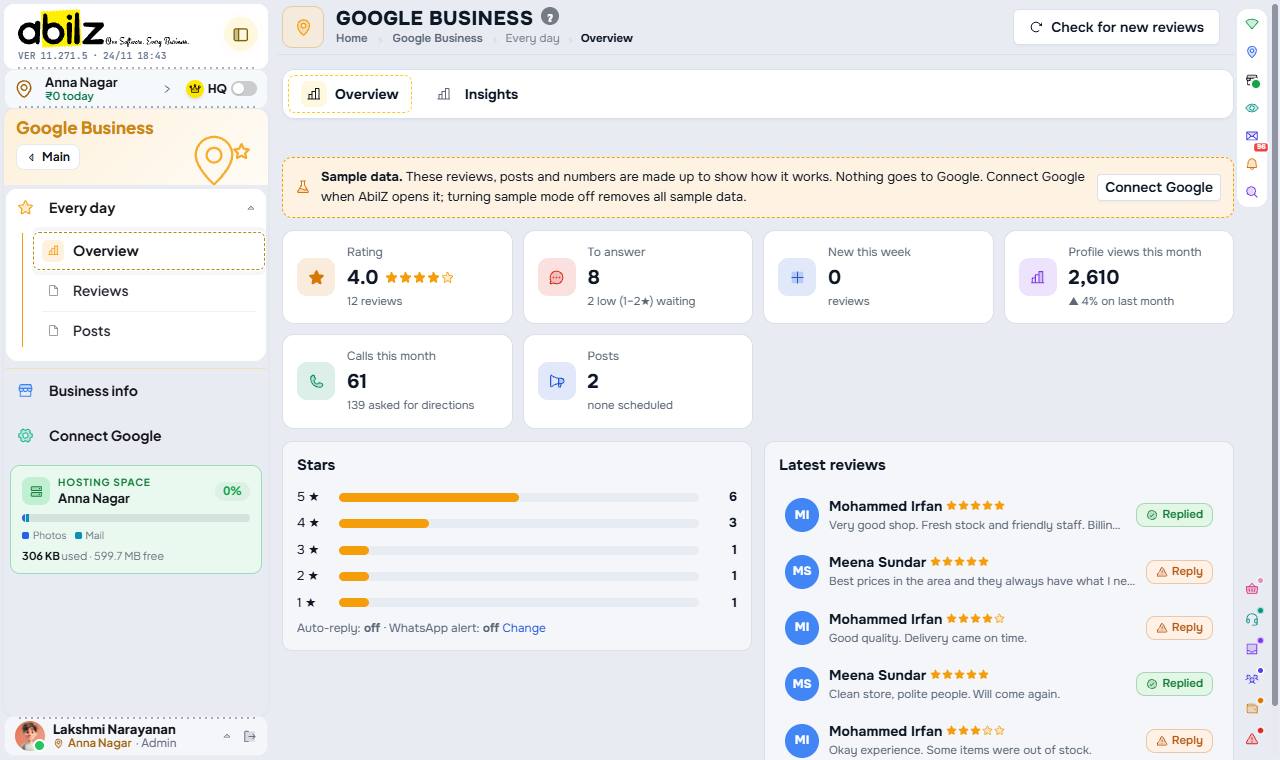
- Overview: star rating, reviews still to answer (and how many are low), new this week, profile views and calls this month, posts. Star bars and the latest reviews. Check for new reviews looks now (Google is also checked by itself).
- Reviews: every review. Filter: All, To answer, Low (1–2★), Good (4–5★), Auto-replied; search. Write a reply, or press Write with AI for a draft you check first. Edit or delete your reply any time.
- Posts: updates, offers (with a coupon code) and events (with dates), a photo and a button (Call now, Order online, Book, Learn more, Sign up). Post now, save a draft, or choose a time and it goes out by itself. Post from your store in one click turns an online store offer or an item with a photo into a post.
- Your profile
- Business info: description (750 letters), phone, website, opening hours for each day, holiday hours. The name, category and address are changed on Google itself (Google checks them).
- Photos (a tab of Business info): logo, cover photo, shop photos, product photos. Kept in this location's storage space.
- Insights (a tab of Overview): profile views, found in search, calls, asked for directions, website clicks, month by month.
- Setup
- Connect Google: connect or disconnect; or Try with sample data (turning it off removes all sample data).
- Auto-reply & alerts (a tab of Connect Google): thank 4–5★ (or only 5★) reviews by themselves, with AI words or your own text ({name} = first name). Reviews of 3★ and below always wait for a person. A WhatsApp message to up to 5 numbers when a low review comes in (1★, 1–2★ or 1–3★).
- New reviews show in the bell; a low one in red. Opening Reviews marks them read.
- Google does not let any app delete a customer's review, or answer questions and chats: those stay on Google.
Was this helpful?
Something wrong in this guide?
Still stuck?Press ? in your portal, then Raise a ticket. It carries the page you are on.
Contact AbilZ