

Cancel a saved counter bill with a reason; everything it did goes back and the bill stays, marked Cancelled.
AbilZ never deletes a bill. When a bill was made by mistake (wrong item, billed twice, the payment failed), you cancel it instead. The bill stays in Counter bills, marked Cancelled, with the reason and who did it.
Switch it on first: Settings › Start here › Features, group Billing, Cancel a bill. Its settings:
- Reasons to choose from: the list the cashier picks from. "Other" always asks for a few words.
- Can cancel up to … hours after the bill: 0 means any time. Each role also has its own limit for old bills (Settings › Roles & permissions, Limits).
- Owner or manager PIN for every cancel: when on, anyone but the owner needs a manager's PIN.
Who may cancel is set in Settings › Roles & permissions: Point of Sale › Bills › Cancel a saved bill (Allowed, Manager PIN or Not allowed).
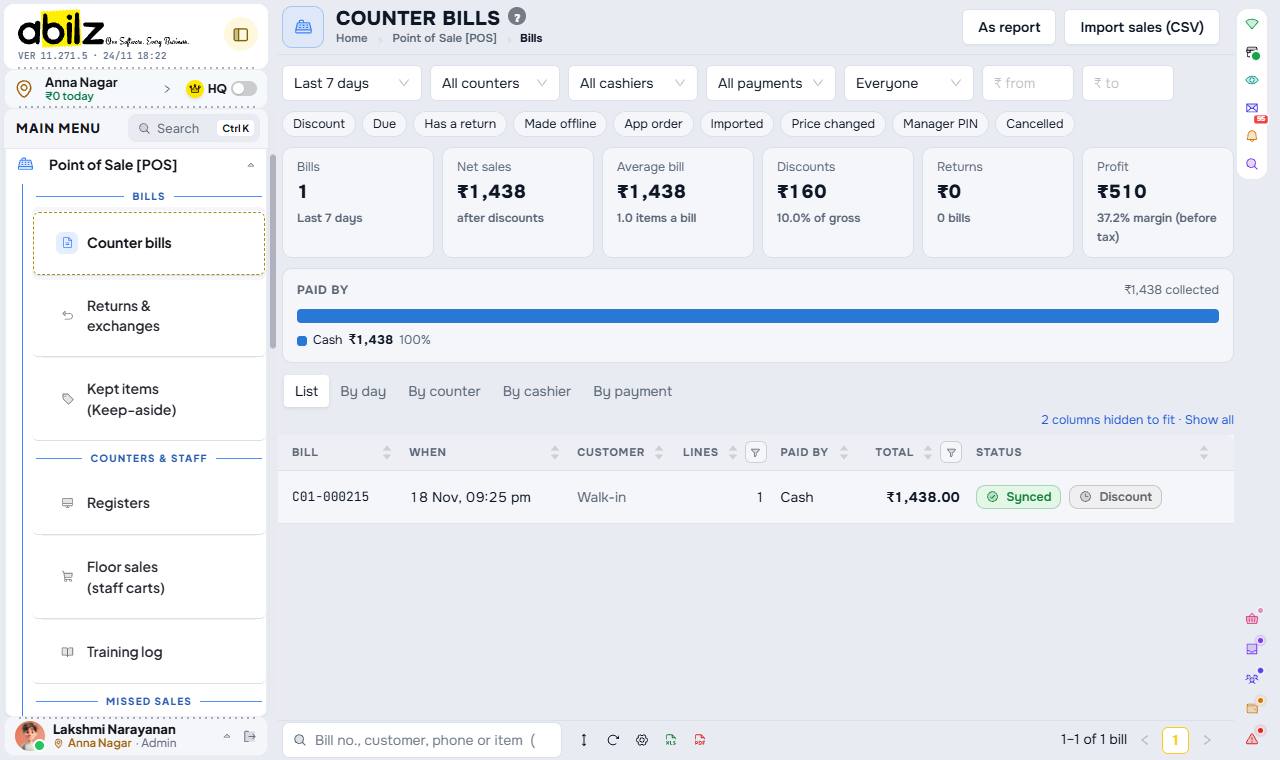
How to cancel: Point of Sale [POS] › Bills › Counter bills, tap the bill and press Cancel bill. The window says exactly what goes back, for example "Give back ₹140 in cash". Choose the reason, add a note if you like, and press Cancel bill.
What goes back by itself:
- the stock of every item (and serial numbers become In stock again);
- the money, in the way it was paid: cash and UPI or card to give back, store credit back to the customer, pay later off their due (what they already paid of it goes to their store credit), the gift card's balance;
- points used come back and points earned are taken back;
- a gift card sold on the bill stops working (only when nothing was spent from it);
- a coupon used on the bill can be used again;
- the sale comes out of the books and the GST.
Where it shows: the bill has a red Cancelled box with the time, who, the reason and what was given back, and its timeline says the same. Tick Cancelled in the filters to list every cancelled bill. Cancelled bills are left out of sales totals, reports, the register's cash and the customer's visits.
When it cannot be cancelled: a bill that was already returned in part (take the rest as a return), a bill paid with an exchange or a kept-item advance (take a return), or a bill older than the hours set. If the register was already closed, the bill can still be cancelled; its panel says the register's total changed.
Something wrong in this guide?
