

Blind cash count, shift handover, drawer cash limit and the owner's review of cash differences.
Four switches in Settings › Start here › Features, group Cash & shift, keep the counter's cash honest. Each works per location; copy them to your other locations from the same page.
Blind cash count. At close, the cashier counts the notes and coins without seeing what the register expects; the expected amounts are not even sent to their screen. After Close register the screen shows what was expected, what was counted and the difference.
- Allowed difference (₹100 to start): a difference up to this counts as matching; no note is needed.
- Above it, the cashier writes what happened in the note and closes. No manager has to stand by: the difference waits for the owner in Point of Sale [POS] › Counters & staff › Registers, under Cash counts to look at, and the owner gets a notification. The owner (or someone allowed to accept a cash difference) presses Approve or Add a remark.
- Notes and coins: the list on the count screen (for example 500, 200, 100 … 1).
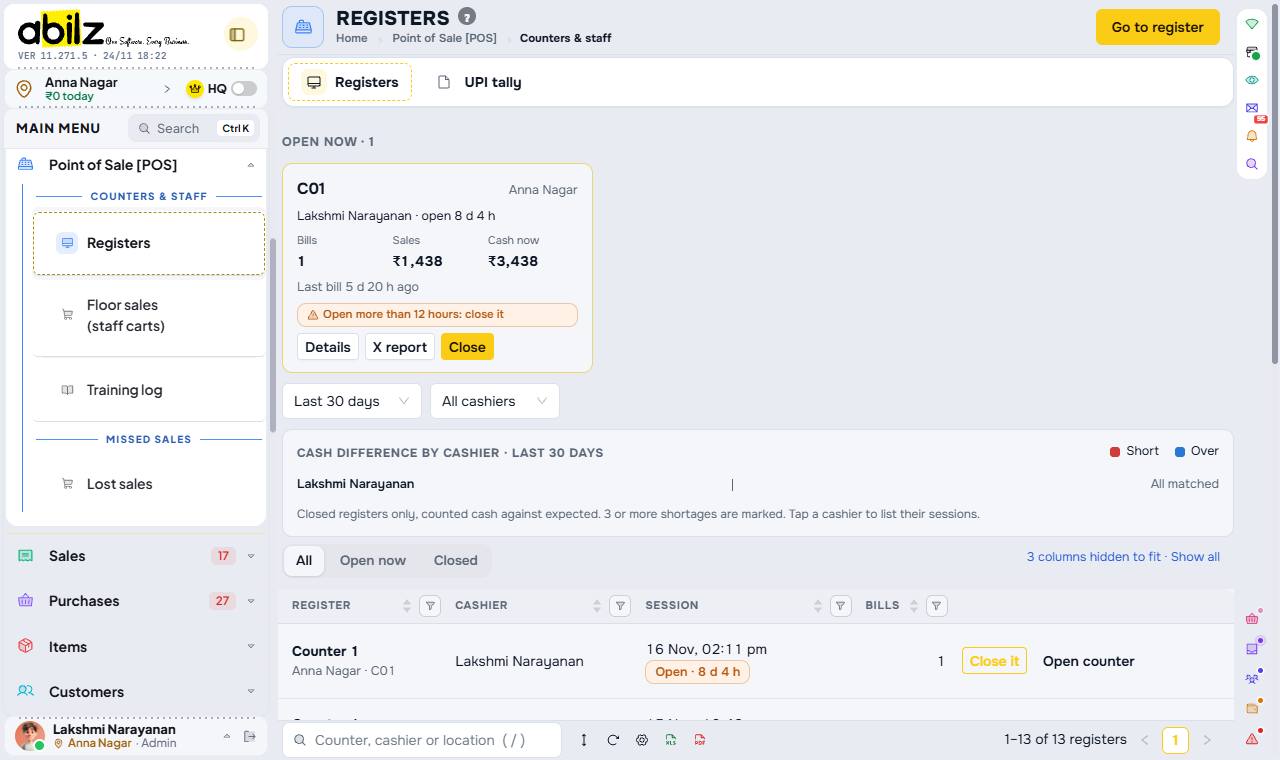
Shift handover. When the cashier changes during the day: Hand over to the next cashier on the register. The cashier counts the cash, and sees the shift's own sales by payment (cash, UPI, card) since the last handover; they type the UPI app total and the card machine slip so each is checked on its own. A note for the next cashier goes with it. The next cashier signs in with their PIN, reads the note, and agrees with the cash or types what they counted.
- Allowed difference: a smaller difference counts as agreed; a bigger one tells the manager.
- Next cashier must count and confirm: switch off to take over the cash as handed.
- Held bills stay for the next cashier. The register's timeline in Registers shows each handover with its totals and note.
Drawer cash limit. When the cash in the drawer goes over the limit, the register asks to move cash to the safe (Cash drop). A cash drop leaves the drawer but is not an expense, so the close stays right. With the Owner Alerts module, the owner is told once each time the drawer goes over.
Removed items log. Every item taken off a bill before payment is written down quietly (it never blocks the cashier). The Owner Alerts module tells you when one cashier does it more than your limit.
Something wrong in this guide?
