

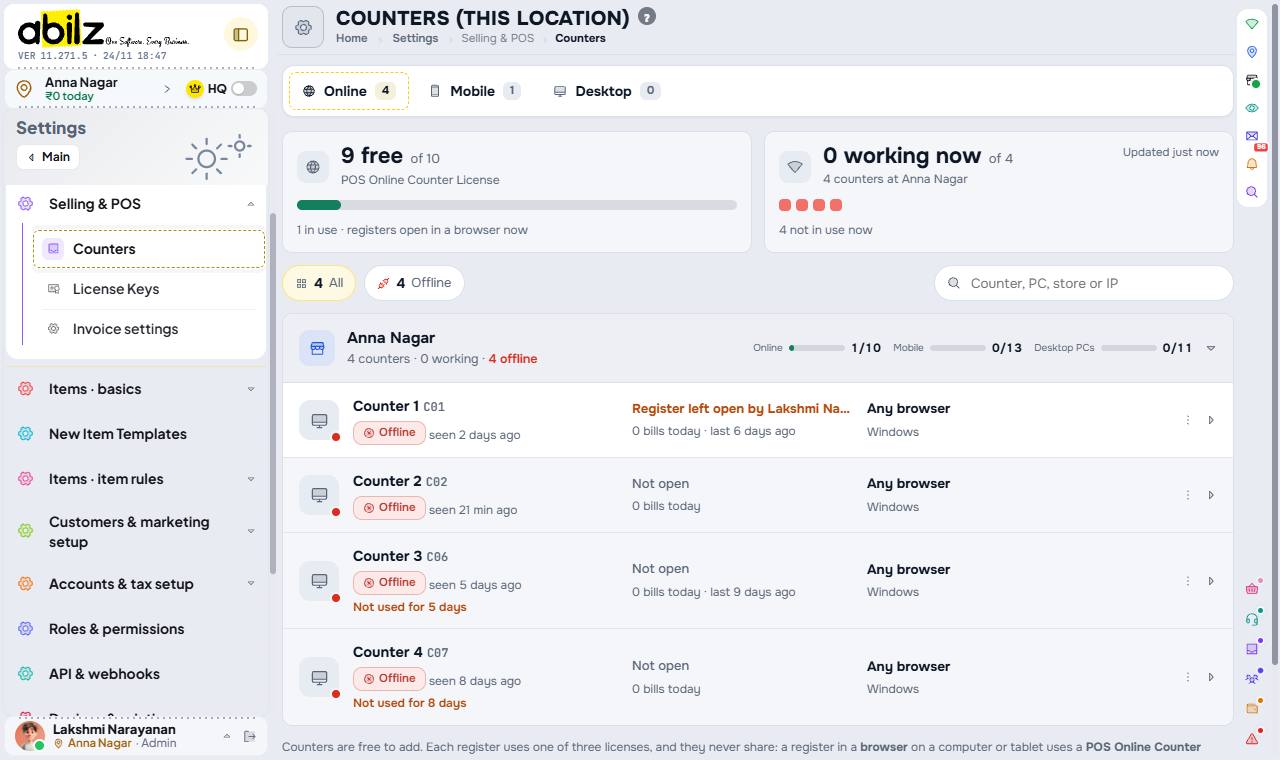
A location bills on three kinds of licence. Each kind is counted by itself, and they never share.
| POS Online Counter License | POS Mobile Counter License | POS Offline Desktop Billing Counter License | |
|---|---|---|---|
| Bill on | A web browser on a computer or tablet | The AbilZ mobile app | The AbilZ Windows POS on a PC |
| Counted | Registers open at the same moment | Registers open at the same moment in the app | PCs that hold a counter |
| Price | ₹100 a month each | ₹100 a month each | ₹150 a month each |
| Without internet | Does not work | Does not work | Keeps billing, and the bills upload later |
Free licences. AbilZ gives every location with Point of Sale some licences free. Today that is 1 Online, 0 Mobile and 0 Desktop. You pay only for the ones above that.
Counters are free. Add as many as you like in Settings › Selling & POS › Counters. A counter only gives a device its own bill numbers (C01-…, M01-…) and its own cash drawer.
A phone cannot bill in a browser.
- On a phone, the POS is not in the menu. Opening its link says "Billing on a phone is in the AbilZ app".
- Bill in the AbilZ app instead.
- A tablet or a computer can bill in a browser.
When all licences of a kind are in use:
- The Open register screen says which licence is full and lists the open registers: who has each one, since when, and the last bill time.
- A register with no bill for 5 hours is marked Idle. A manager can close it there with a cash count, which frees its licence.
- Only HQ Admin (the owner) can add licences, in HQ › Plan & licences. A cashier can never add a cost.
A PC with the Windows POS:
- Type the counter's key once on that PC. The PC then holds the counter, and nobody can bill on it from a browser.
- It uses one Offline Desktop licence and no Online one.
- It must reach AbilZ at least once every 30 days, or it stops billing until it connects. It also stops 7 days after the licence ends.
- To move it to a new PC, release it in Settings › Selling & POS › Counters. You can move it as often as needed.
- Bills made offline are kept in the PC's own database and upload when the internet is back.
- If the PC's register was closed from another device in the meantime, its late bills still upload to that register and are marked "uploaded after close". The register report counts them.
- Shift change without internet: the first person closes their register with a cash count, then the next person opens their own.
- Signing in without internet: staff of that location sign in with their counter PIN, as last synced to the PC.
Phones that only build a cart and send it to the counter, with no payment, open no register. They need no licence.
One person, one open register, across every location and every kind of licence.
Something wrong in this guide?
