

A UPI QR for the exact amount of each payment; the bill is marked paid by itself when the money comes.
Needs the UPI Paid Signal module and the shop's UPI ID in Settings › Business & locations › Business settings › Counter payments. Switch on Settings › Start here › Features, group Payments, UPI auto-match:
- Payment gateway: the one that tells AbilZ a payment came. Until its keys are in Settings › Business & locations › Business settings › Gateways & messages, the Sample gateway lets you try everything (no real money).
- QR works for … minutes.
- Use the shop's own UPI QR when the gateway is down.
At the counter. On the payment screen pick UPI and press Show UPI QR for ₹…. The QR has the exact amount and its own reference, so a wrong amount or an old screenshot never counts. The screen waits and, when the payment comes, adds the UPI payment with its UTR and saves the bill by itself. On the sample gateway, Simulate payment plays the payment. An expired QR shows New QR.
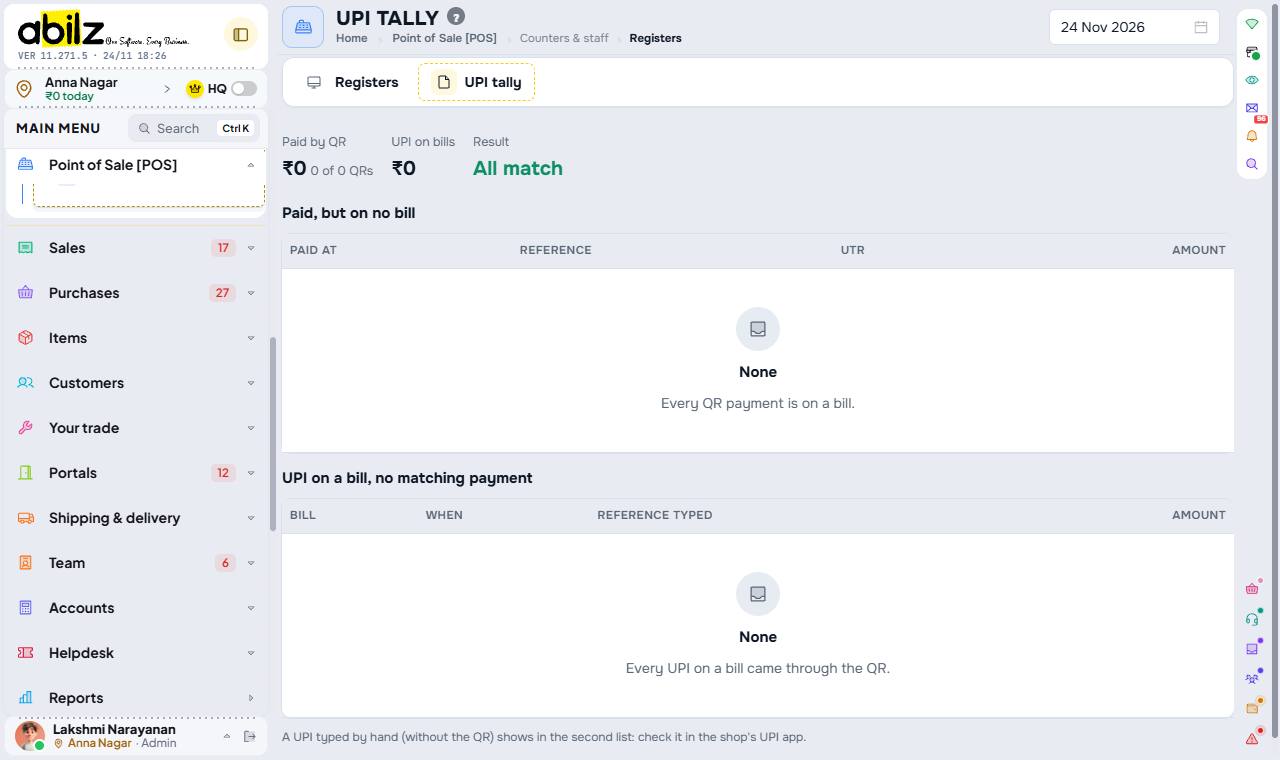
Point of Sale [POS] › Counters & staff › Registers › UPI tally (a tab at the top of Registers) compares the day's QR payments with the UPI on the bills and lists only what does not match:
- Paid, but on no bill: money that came through a QR that never became a bill;
- UPI on a bill, no matching payment: UPI typed by hand on a bill; check it in the shop's UPI app.
Something wrong in this guide?
