

A lock on every field.
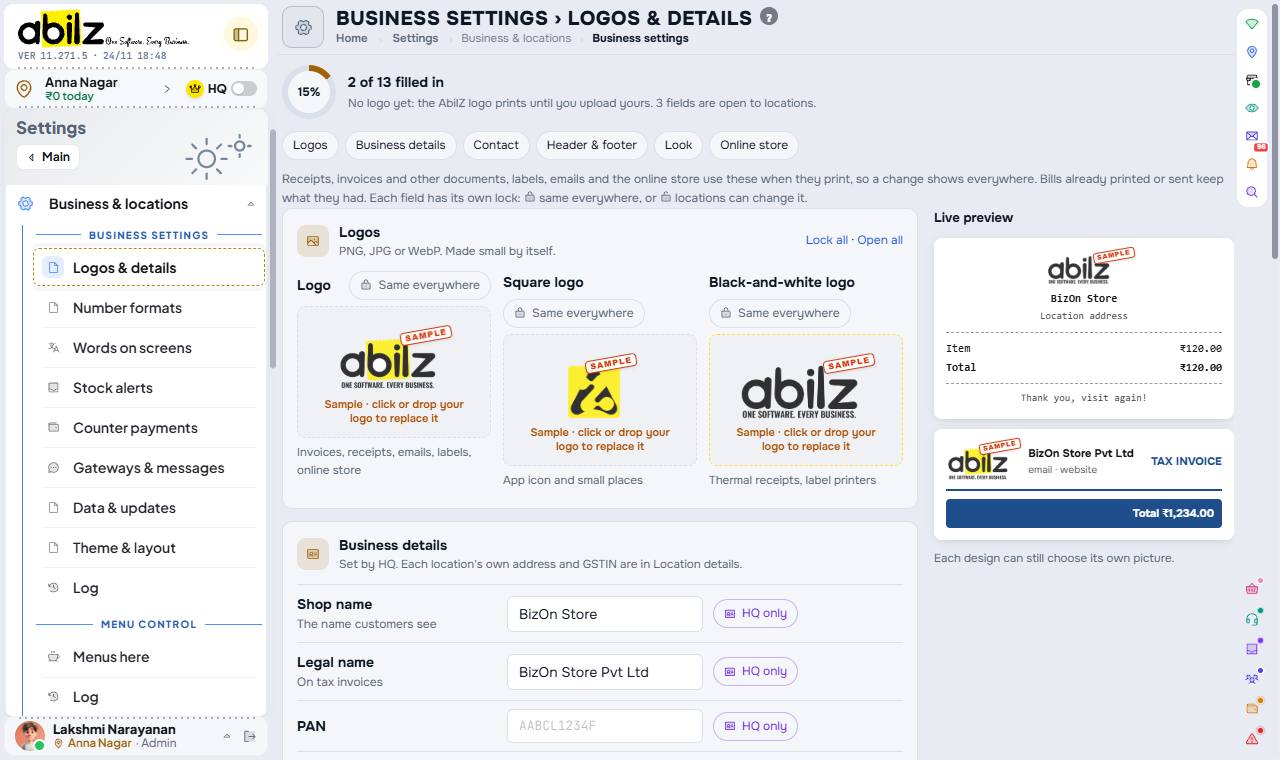
- A lock on every field. Next to each field: <b>Same everywhere</b> (locked) or <b>Locations can change</b>. Each part has Lock all and Open all. Shop name, legal name, PAN and head office address are HQ only.
- AbilZ logo by default. Until you upload your logo, the Logo box shows the AbilZ logo (faded) and that is what prints. Upload yours and it replaces it everywhere; Remove goes back to the AbilZ logo. White-label businesses print no logo instead.
- Live preview of a receipt top and an invoice top on the right, and how complete your details are at the top, with chips to jump to each part.
Was this helpful?
Something wrong in this guide?
Still stuck?Press ? in your portal, then Raise a ticket. It carries the page you are on.
Contact AbilZ