

In the invoice and label designers, pick the logo and choose Shop logo: a note says it comes from Settings › Business & locations › Business settings › Logos & details, with Add my logo / Change logo.
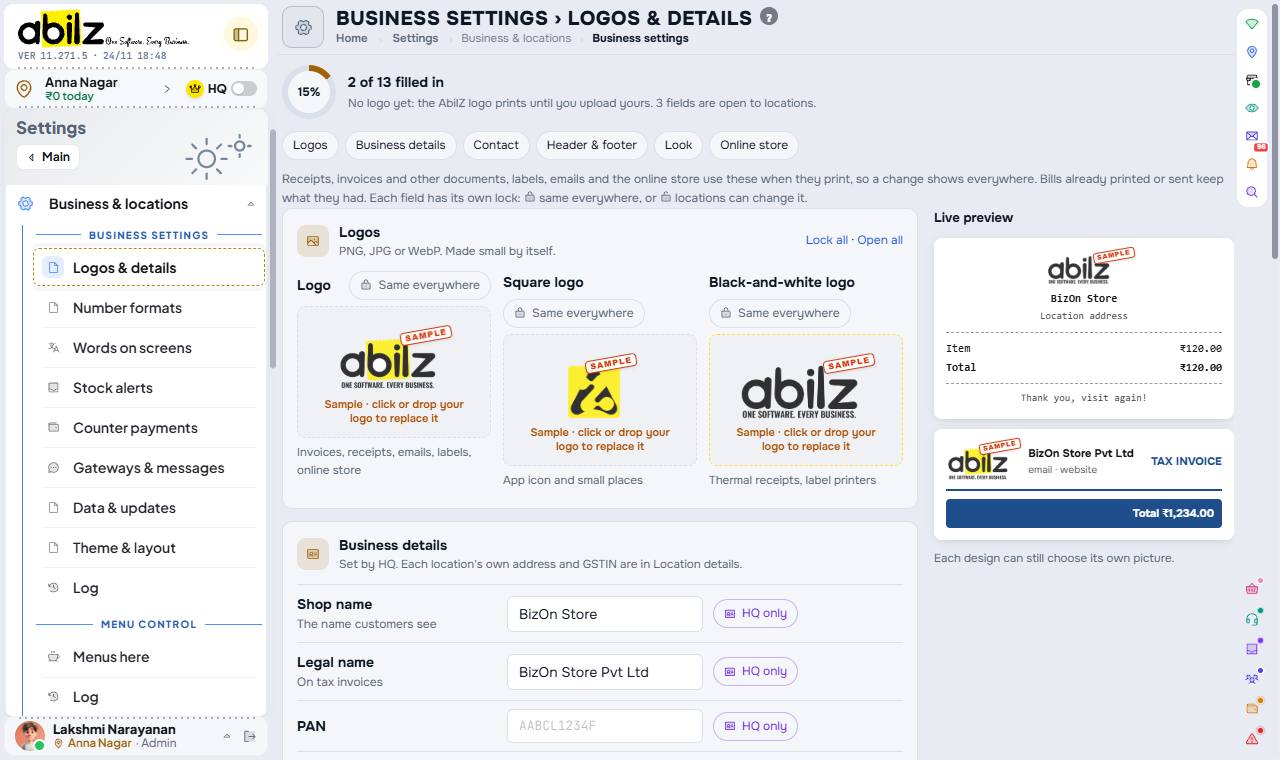
- In the invoice and label designers, pick the logo and choose Shop logo: a note says it comes from Settings › Business & locations › Business settings › Logos & details, with Add my logo / Change logo. The receipt designer Logo part and the invoice designer Logo setting show the same note when the design has no logo of its own.
- While the shop has no logo, the AbilZ logo shows with a small SAMPLE seal on its corner: on the invoice band canvas, the invoice preview, the receipt preview, Logos & details and the Messages Designer. Screen only; prints, PDFs and emails never show it.
- The receipt designer preview now shows the Business settings logo when the receipt has none of its own (that is what prints).
Was this helpful?
Something wrong in this guide?
Still stuck?Press ? in your portal, then Raise a ticket. It carries the page you are on.
Contact AbilZ