

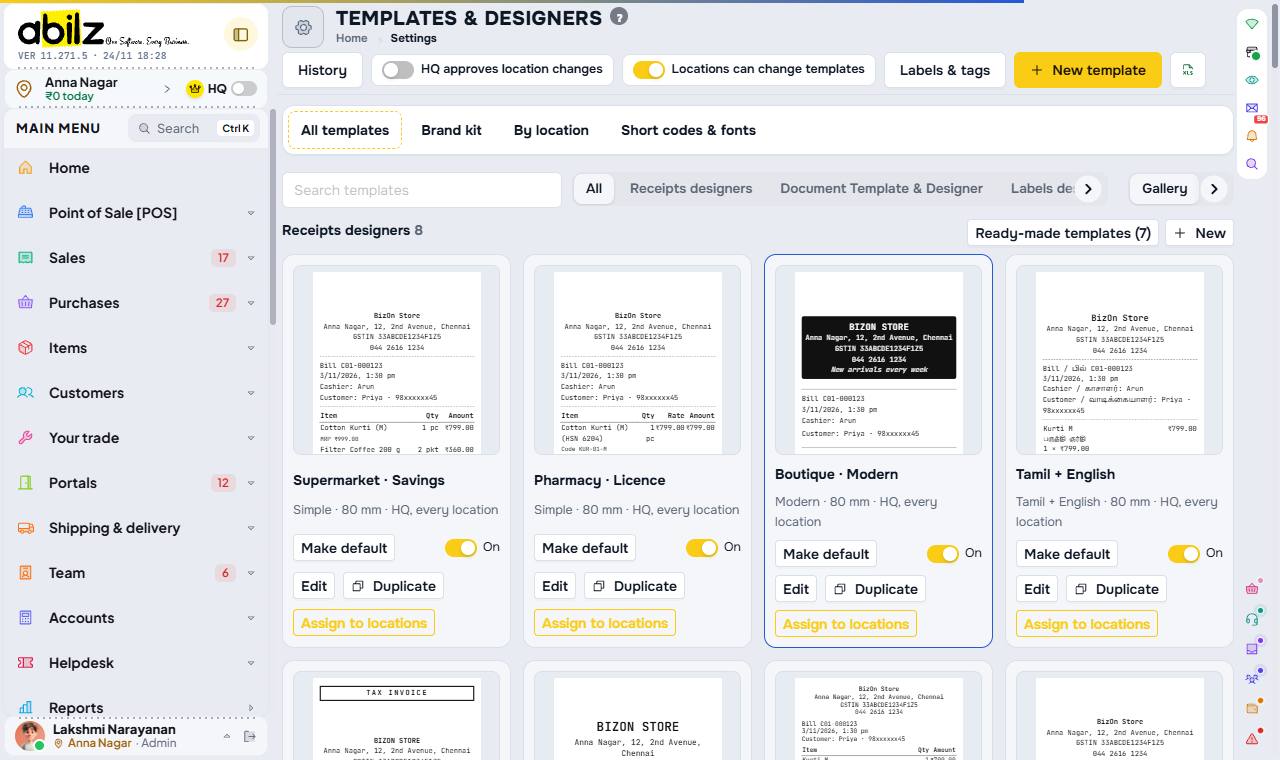
Settings opens as its own menu, in parts with titles: Start here, Business & locations, Your data, Selling & POS, Items, Customers & marketing, Accounts & tax, Devices & printing, Templates & designers and Languages.
Settings is a row near the end of the Main menu. Like Reports, it opens as its own menu, with ‹ Main at the top to go back. The menu is in parts, each with a title:
- Start here: Settings home (find a setting, the setup checklist) and Features (switch extra features on).
- Business & locations: Business settings (Logos & details, Number formats, Words on screens, Stock alerts, Counter payments, Gateways & messages, Data & updates, Theme & layout, Log), Menu control, Location settings, WhatsApp number, Places & areas and Items & variants.
- Your data: Move your data in, Import history, Find duplicates, Trash and Data requests.
- Selling & POS: POS settings, Counters, License Keys and Invoice settings.
- Items · basics: Categories, Brands, Units list and Racks & shelves. Then New Item Templates, and Items · item rules: Item types, Kinds (sizes, colours…) and Item features.
- Customers & marketing setup: Customer groups, Lead lists, Message templates, Store visit settings, Helpdesk settings and Consent & limits (only the ones your modules use).
- Accounts & tax setup: Tax rates, Chart of accounts, Accounting settings, Expense types, Payment modes, Payment terms, Currencies and Financial years.
- Roles & permissions and API & webhooks.
- Devices & printing: Printers and Sync & offline.
- Templates & designers: Receipts designers, Document Template & Designer, Labels designers and Messages Designer.
- Languages & words.
Some rows hold their pages as tabs (for example the parts of Business settings, or Store location on the map inside Location settings). The open row lights up while you are on any of its tabs.
Tip Settings that HQ runs for every location (HQ locks, Payments & messages, Country data, Connection…) are in the HQ menu, which only the HQ login sees.
Was this helpful?
Something wrong in this guide?
Still stuck?Press ? in your portal, then Raise a ticket. It carries the page you are on.
Contact AbilZ