

Run a franchise network: applications, franchisee setup, agreements, outlets, targets, documents and exits.
The Franchise menu is for the franchisor (HQ). Like Reports, it opens as its own menu: tap Franchise at the end of the HQ menu, or its row under HQ in the Main menu. ‹ Main at the top goes back.
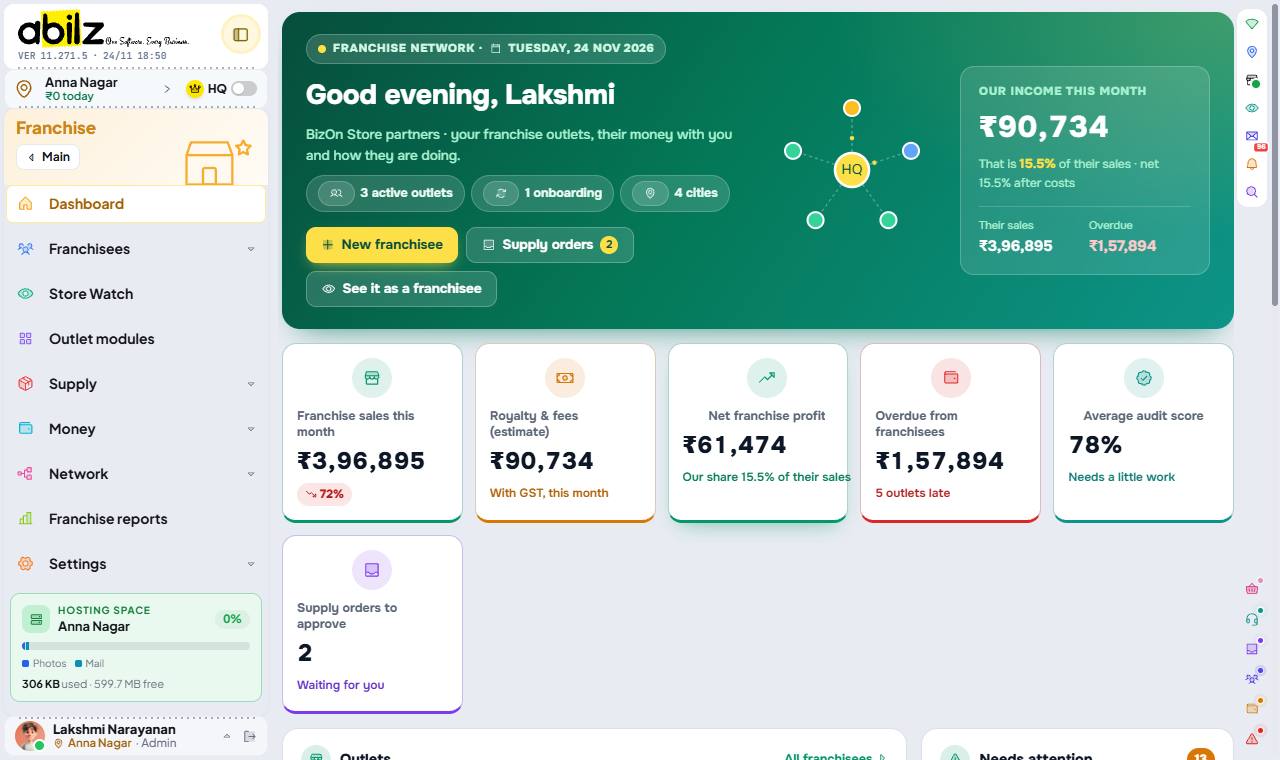
- Dashboard: sales, dues and work across the network.
- Franchisees › Applications & onboarding: applicants by stage. Find one by name, city, pincode or phone, and move them through the checklist Before go-live.
- Franchisees › Franchisees: Start the setup for a new franchisee (the business, who signs the agreement, territory). The owner gets an SMS to set a password. Each franchisee's page has tabs: Agreement, Sales, Supply orders, Royalty, Account and Audits. Renew agreement sends the renewal to sign on the phone (Aadhaar e-sign); new terms start the day after the current end date.
- Franchise outlets: every outlet with its details.
- Targets & incentives: targets for each franchisee.
- Compliance documents: licences and documents with their Valid till date.
- Exit & termination: outlets that are leaving, with the Last day and what is left to settle.
Note Royalty terms apply from the next statement; earlier statements never change.
Was this helpful?
Something wrong in this guide?
Still stuck?Press ? in your portal, then Raise a ticket. It carries the page you are on.
Contact AbilZ