

See the files each location keeps, free space, and buy more.
This location's storage
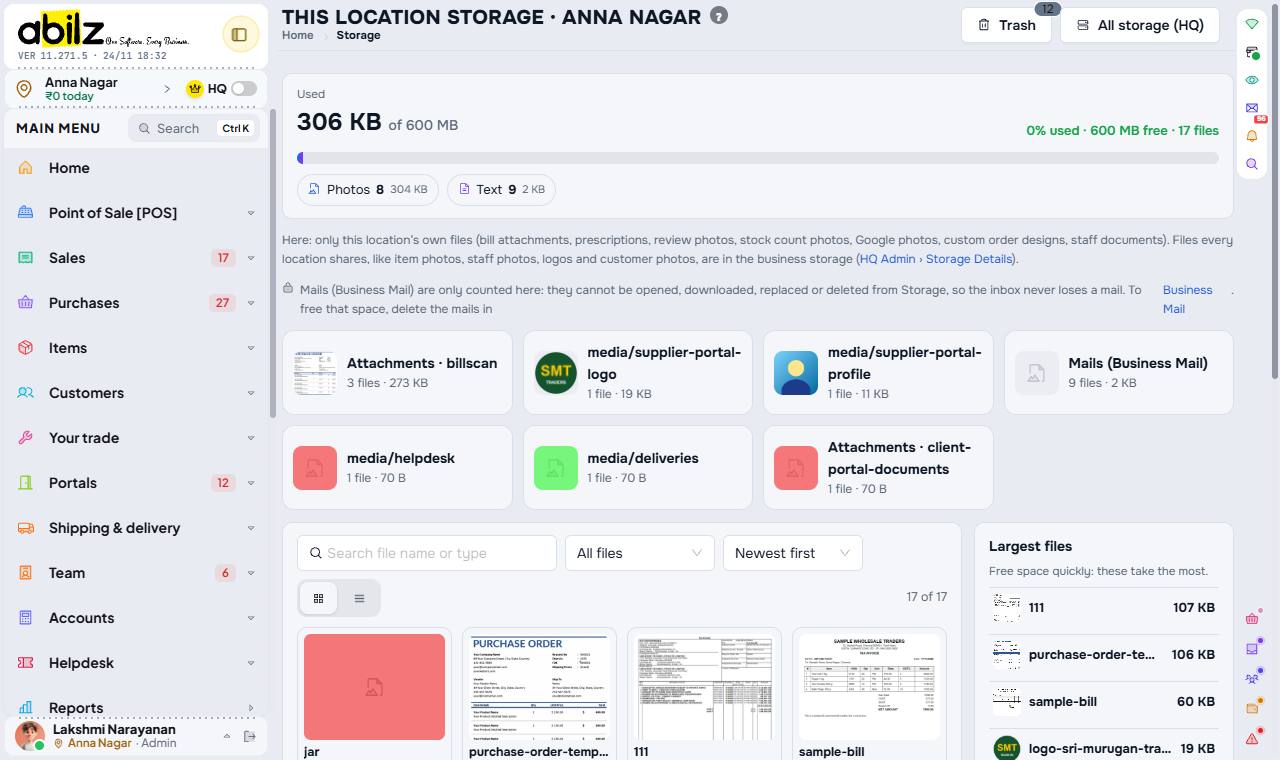
This Location Storage (from the storage bar in the menu) shows only this location's own files: bill attachments, prescriptions, review photos, stock count photos, custom order designs, staff documents. Sort by Newest, Largest or Name, and search.
- Delete a file no item, bill or record uses. It stays in the Trash for 24 hours, then it is removed for good; HQ Admin can bring it back until then.
Storage details (HQ Admin)
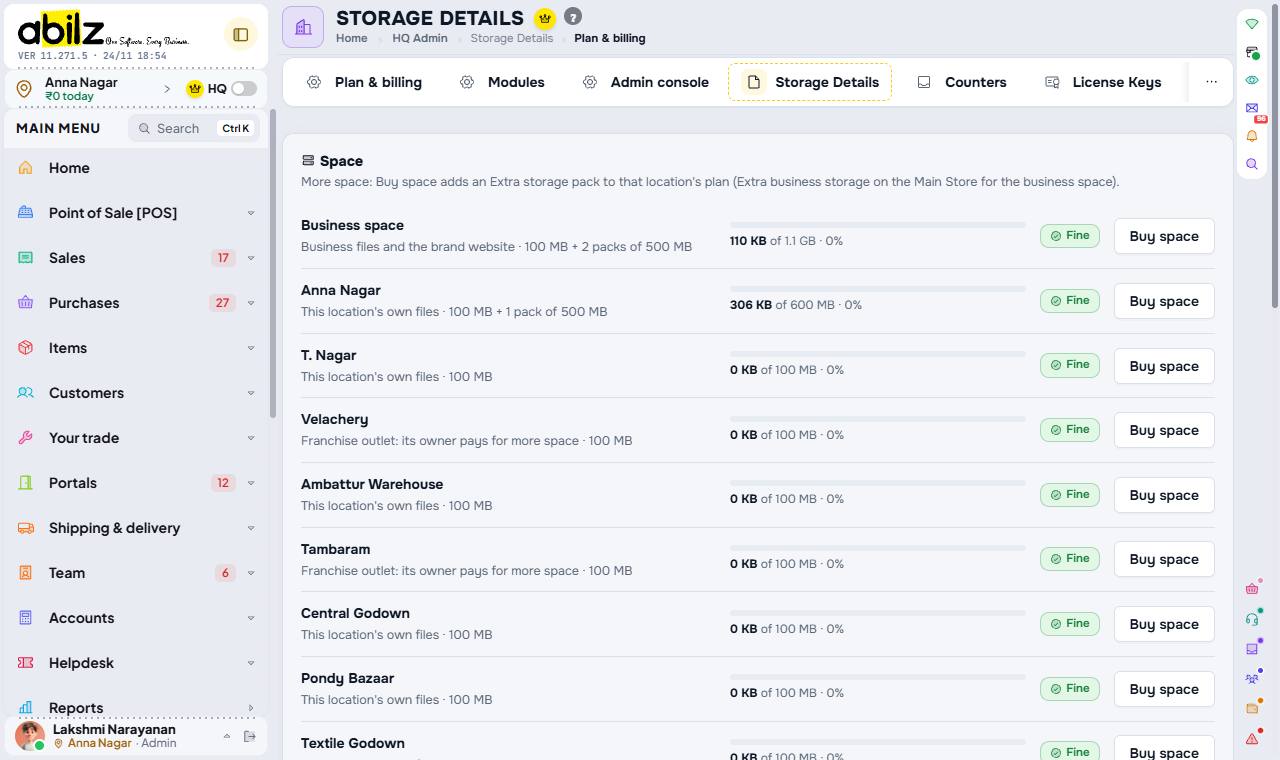
HQ › Plan & licences › Storage Details: the space of the whole business and of each location, files every location shares (item photos, staff photos, logos), Clean unused files, and Buy space when you need more.
Was this helpful?
Something wrong in this guide?
Still stuck?Press ? in your portal, then Raise a ticket. It carries the page you are on.
Contact AbilZ