

Printing you can trust
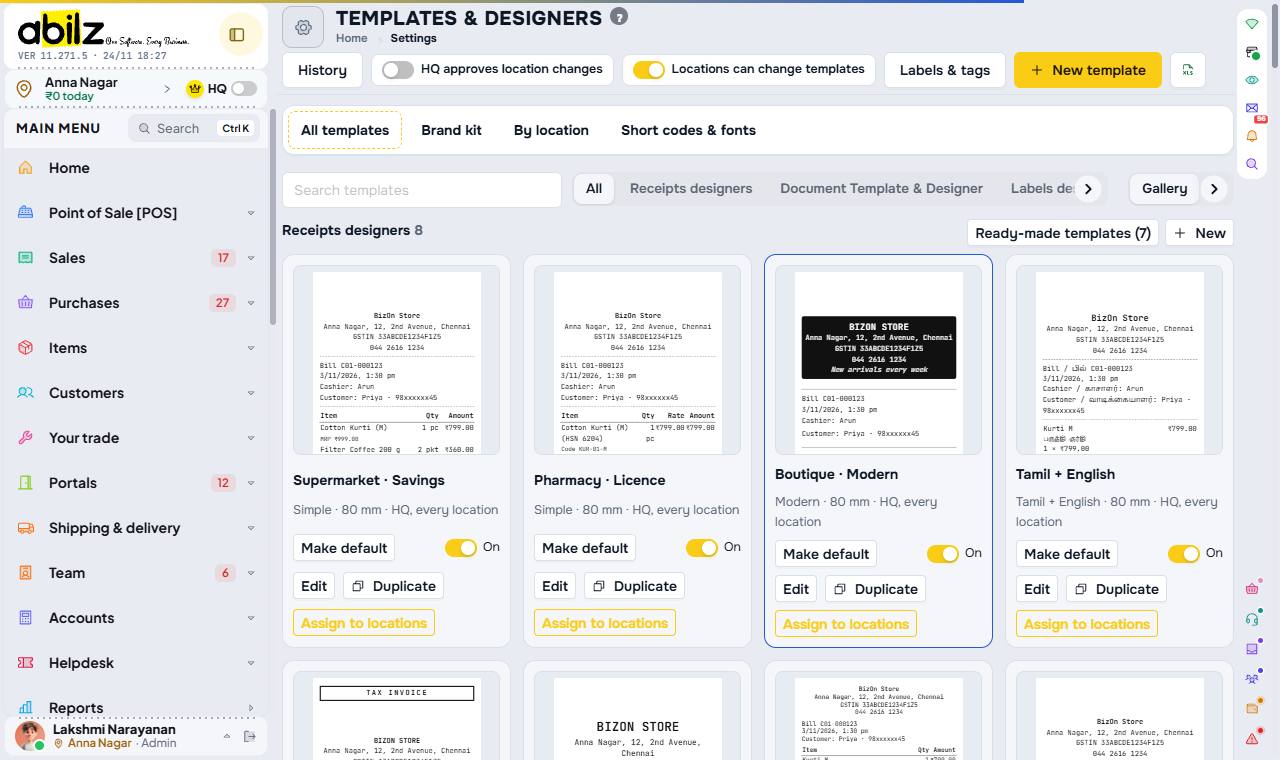
- Printing you can trust
- A document keeps the design it was first printed with. Tick Newest design in the preview to use the new one.
- Reprints say Reprint 2 with the time.
- Changes after printing or sending print as Revised 1.
- Reports › Logs & history › Printed & sent documents lists every print, PDF, send and bill-link view, and has a Number check that finds missing or repeated invoice numbers.
- Designing faster
- Drag parts on the page itself.
- Colours from logo.
- Festival banners between dates.
- Use this style for every part.
- Named undo steps and Ctrl+S.
- A tour, a Tamil help panel, and a Test pack that shows six kinds of documents at once.
- Items and documents
- Group items by category with subtotals.
- Photo, Batch, Expiry and Serial/IMEI columns.
- FREE marks.
- Quotation Valid till with a Customer acceptance box.
- Delivery notes print without prices.
- Credit notes name the invoice they are against.
- Purchase orders get approval boxes.
- Any unpaid document prints as a Payment reminder.
- Every kind of business: a design can ask for its own document fields (check-in, student, patient, gold rate, running bill…), typed under More details and printed in a Details box. Ready packs cover hotels, schools, clinics, jewellery, construction and electronics (with warranty). There are 31 ready-made designs with a filter by kind of business.
- Smart
- A design can be picked by itself for B2B, walk-in or export documents, or for chosen customers.
- Due date from the customer's terms.
- Interest and overdue lines.
- You saved and loyalty points.
- A next-visit coupon.
- The Rate us QR only when it fits.
- A Track your order QR on online orders.
- Languages
- Amount in words in Tamil or Hindi.
- The customer's own language.
- All Indian scripts and Arabic.
- Money
- A Pay now QR to the bill link.
- A Payments received table.
- TDS lines.
- Export columns in the other currency.
- GST
- Sales PDFs signed with your DSC (.pfx).
- An e-Way bill box, and a reminder over ₹50,000.
- e-Invoice details from the IRP portal, which print with the real signed QR.
- Worldwide: VAT, sales tax and GST of 25+ countries, with their own tax-number labels, currency, dates, words and titles, plus the Saudi ZATCA QR.
- Customers
- The bill link lists the items with photos and warranty, with Order again and Save this bill (kept in My bills).
- A WhatsApp card picture.
- A Scan to save QR.
- HQ
- Lock the letterhead and look for all locations.
- Approve location design changes.
- One offer banner for every store.
- More
- Many documents in one PDF.
- The customer Statement PDF.
- Design files to copy designs between businesses.
- Emails in the invoice look with View and pay.
- Refer-a-friend line.
- Brand logo strip.
- Setup: Printing › Setup and checks has the printer test page and shows whether PDFs, bill links and AbilZ AI are ready. Invoices are online only: there is no offline invoice printing.
Was this helpful?
Something wrong in this guide?
Still stuck?Press ? in your portal, then Raise a ticket. It carries the page you are on.
Contact AbilZ