

Hide menus a location does not use.
Settings › Business & locations › Menu control. Two tabs: Menus here (the menus at this location) and Log (who changed what).
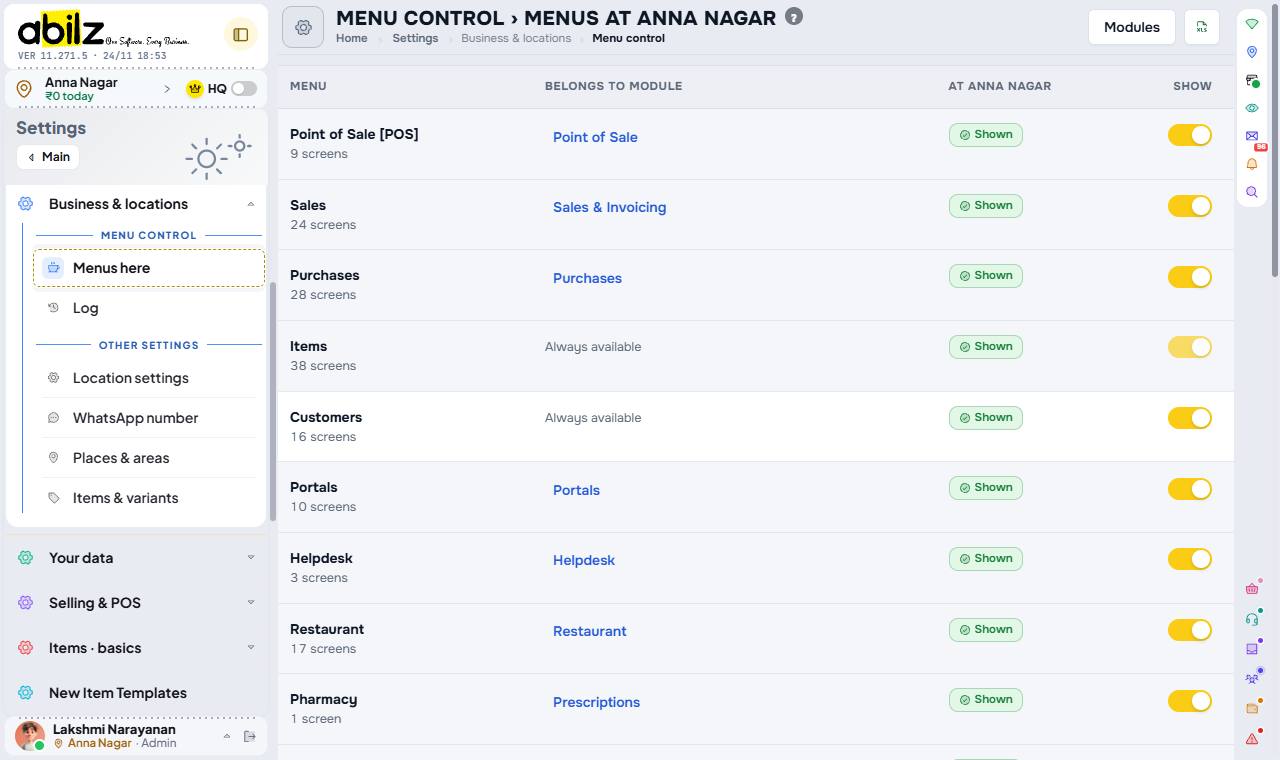
- A menu belongs to a module. When the location's licence does not have that module, its menu is frozen here.
- Switch off the menus this location does not use. Hiding a menu here changes this location only; other locations keep theirs.
- Sell, Items & stock, Reports and Settings are always shown.
- HQ Admin in HQ view (All locations) sees every menu.
- To add what a menu needs, add its module in AbilZ › Marketplace.
Was this helpful?
Something wrong in this guide?
Still stuck?Press ? in your portal, then Raise a ticket. It carries the page you are on.
Contact AbilZ