

Each location's own address and GSTIN stay in Location details (a bill must show the address of the shop that made it).
| Part | What it holds | Who can change it |
|---|---|---|
| Logos | Logo, square logo (app icon), black-and-white logo (thermal receipts, label printers) | HQ; locations too when HQ allows |
| Business details | Shop name, legal name, PAN, head office address | HQ only |
| Contact | Phone, email, website (used when a location has none) | HQ; locations by default |
| Header & footer | Tagline, second header line, thank-you line, terms | HQ; locations when HQ allows |
| Look | Main colour, font, signature | HQ; locations (signature) when HQ allows |
| Online store | Always the business logo, or stores may use their own | HQ |
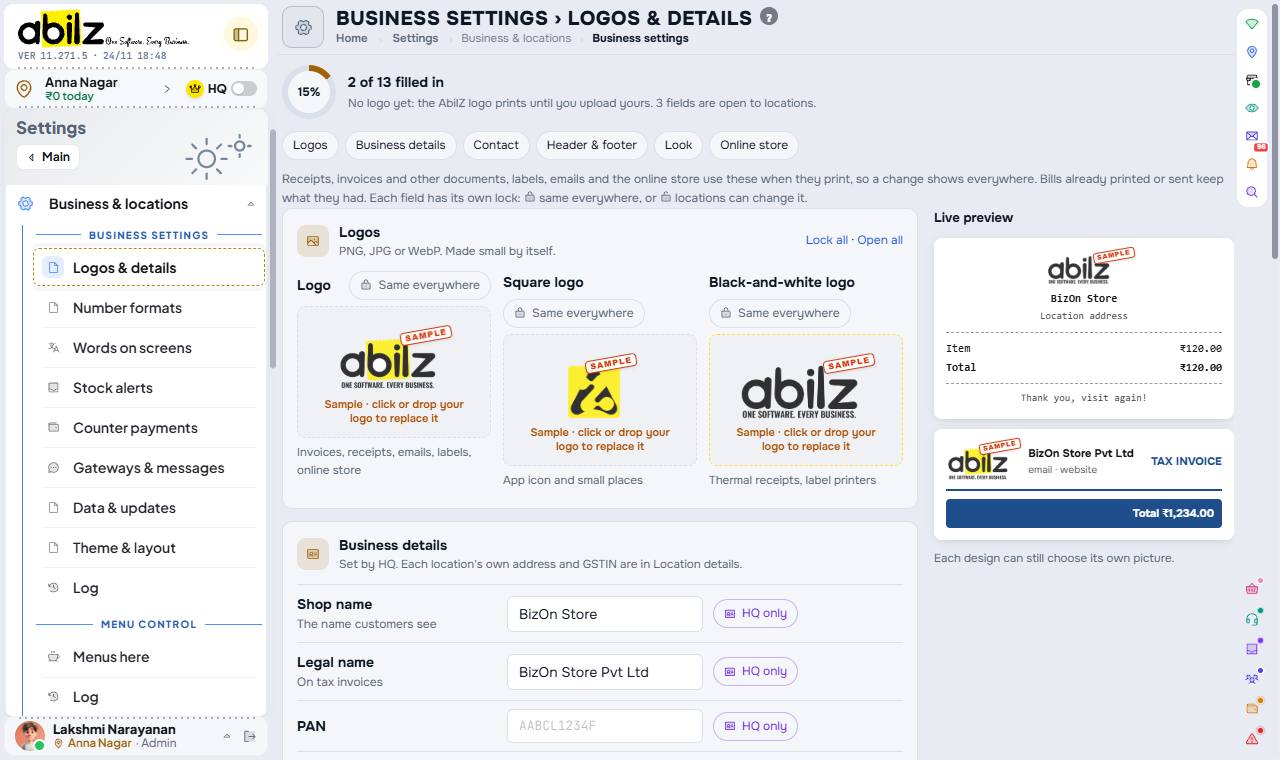
Each location's own address and GSTIN stay in Location details (a bill must show the address of the shop that made it).
Was this helpful?
Something wrong in this guide?
Still stuck?Press ? in your portal, then Raise a ticket. It carries the page you are on.
Contact AbilZ