

While no logo is uploaded, each Logo box, the live receipt and invoice preview, and the Emails Designer show the AbilZ logo with a red SAMPLE seal and the words “Sample · click or drop your logo…
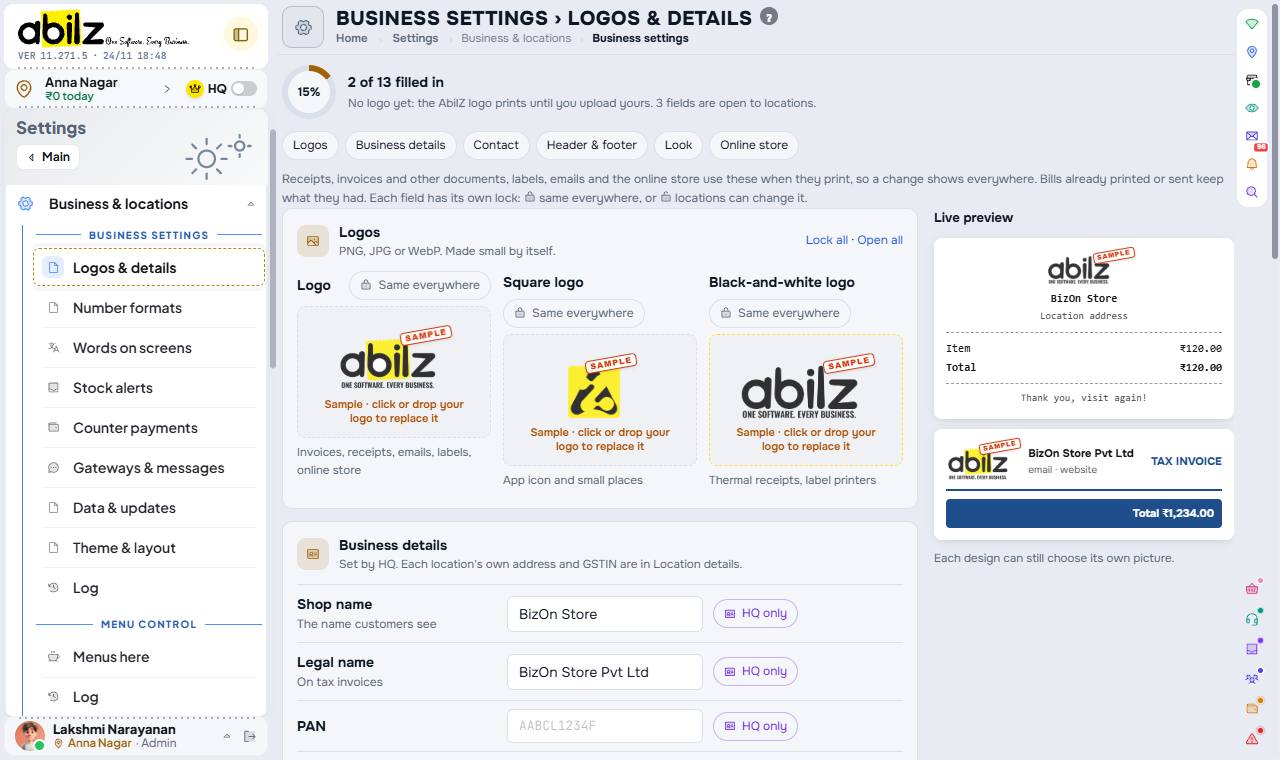
- While no logo is uploaded, each Logo box, the live receipt and invoice preview, and the Emails Designer show the AbilZ logo with a red SAMPLE seal and the words “Sample · click or drop your logo to replace it”, so it is clear the AbilZ logo is a stand-in. The seal is only on screen; prints and emails show the logo without it.
- Emails now use the Logo too (see emails-designer.md, v8.15).
Was this helpful?
Something wrong in this guide?
Still stuck?Press ? in your portal, then Raise a ticket. It carries the page you are on.
Contact AbilZ