

All your locations with their details, how they sit under each other, adding a new one, and which staff can open which location.
Locations
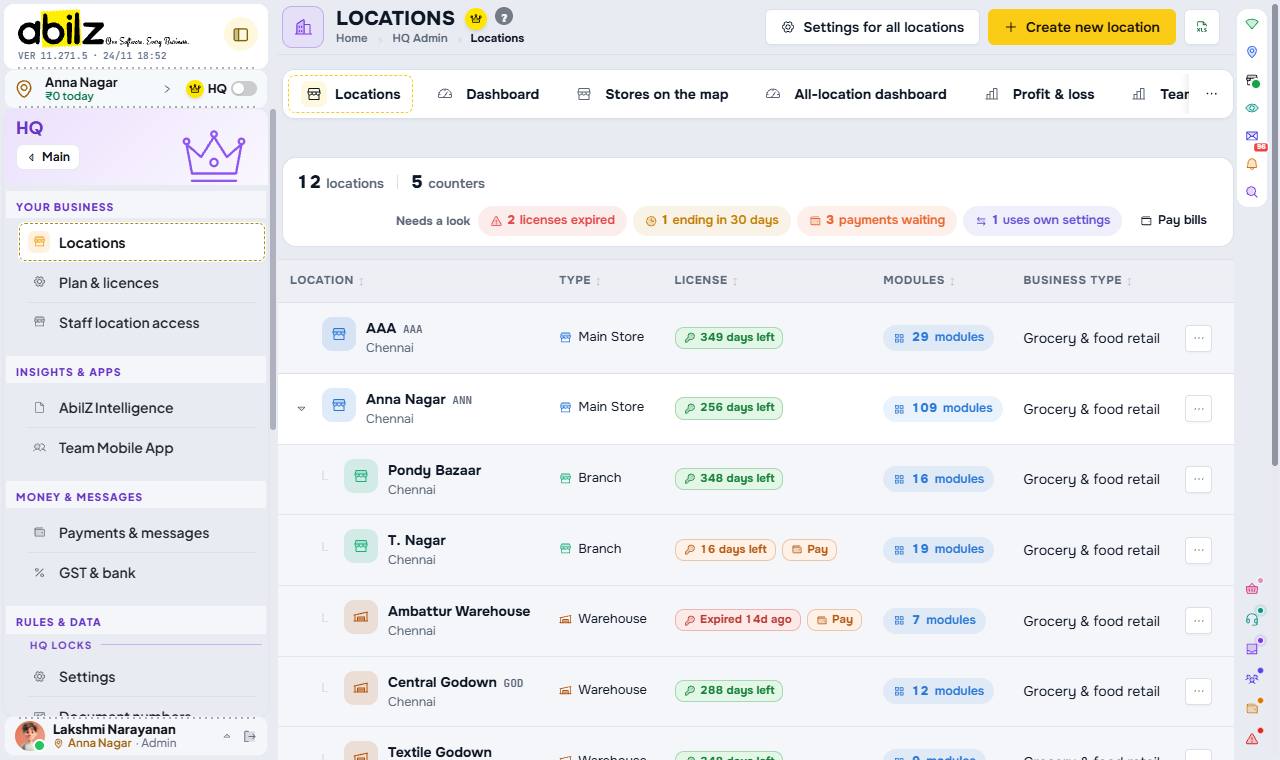
HQ › Locations. Every location with its details. Choose the Columns you want. On each location: Modules, Settings, Add a location under it, Edit details, Move under another location, Open this location.
Switch location
People who work at more than one location switch with the location button in the right icon strip. The Switch location window lists each location in one short row: an icon for its type (shop, warehouse, office, factory), the name, the type and city, and a tick on the one you are at. A licence tag shows only when the licence ends in 30 days or fewer. The HQ login switches from the HQ row at the top of the menu instead (see HQ view).
One location's page
Open a location for its home: reports for this location, Change who has access, Counters & devices, and its modules.
Add a new location
From HQ › Locations, add a location:
- Name it (for example Adyar, Phoenix Mall Kiosk), the address, and who looks after it.
- Choose the location type and what it sells: the recommended modules show with the price.
- GSTIN only if this location has its own GST number; leave empty to use the business GSTIN.
- Pay, or Pay later during a trial (in a demo shop, adding locations waits until you go live). The location, its licence and the paid invoice are made only after the payment succeeds.
Staff location access
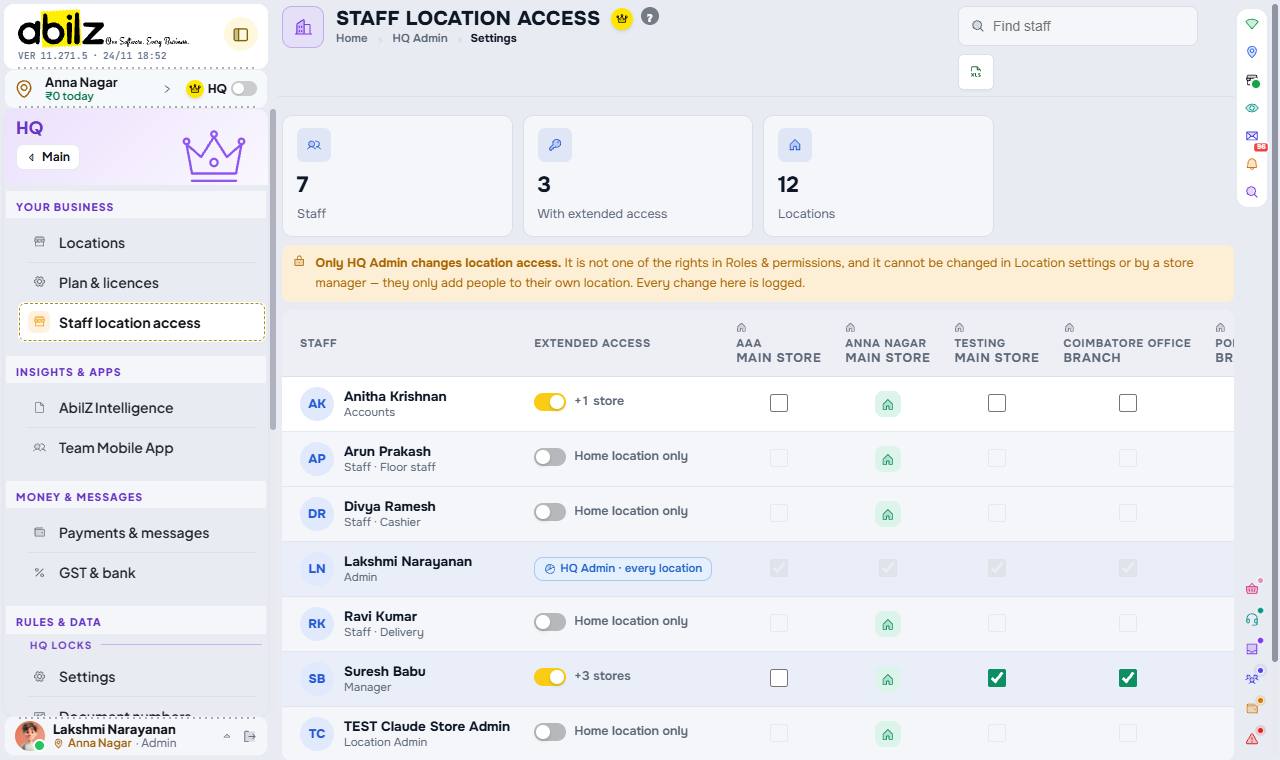
HQ › Staff location access (and Franchise › Settings › Outlet staff access): find a person and tick the locations they can open.
Outlet modules (franchise)
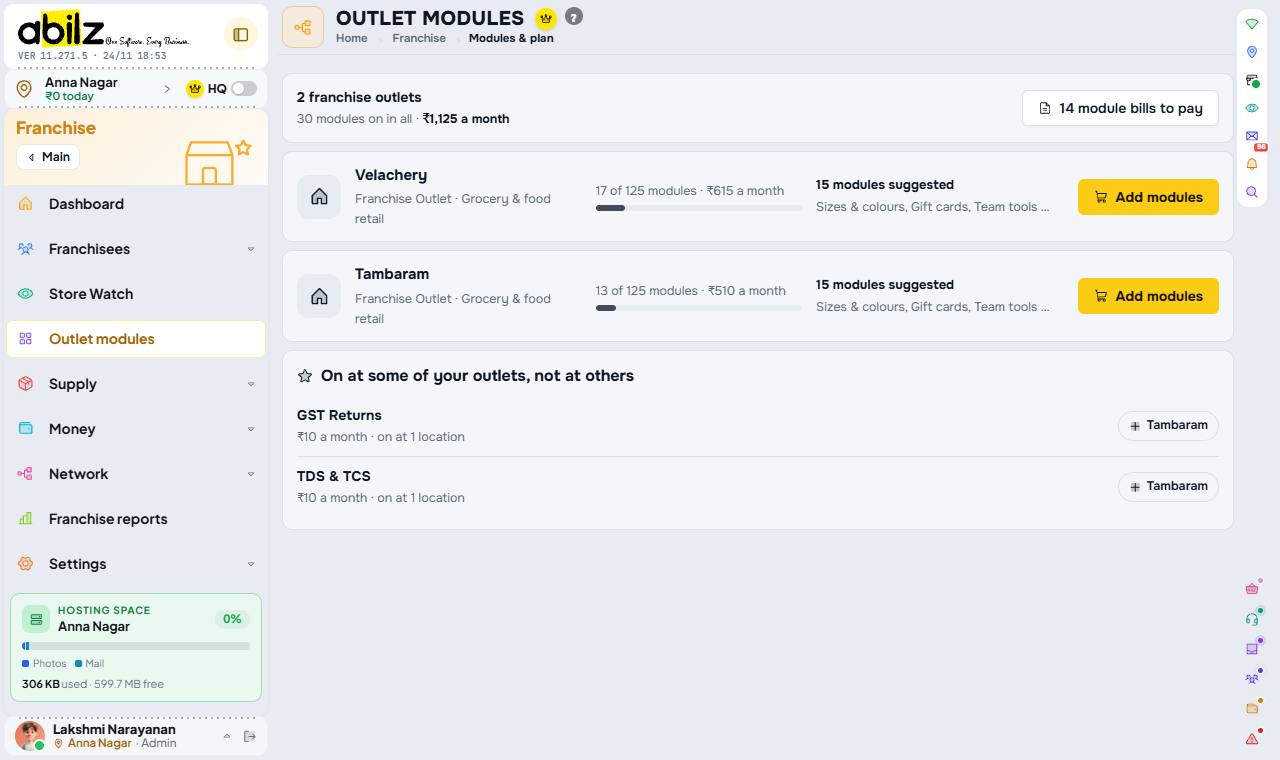
Franchise › Outlet modules: the modules of each franchise outlet. See Buying modules.
Something wrong in this guide?
