

Count a rack, a category or the whole store while sales go on, then correct the stock.
Items › Stock › Live stock count. Sales keep going while you count.
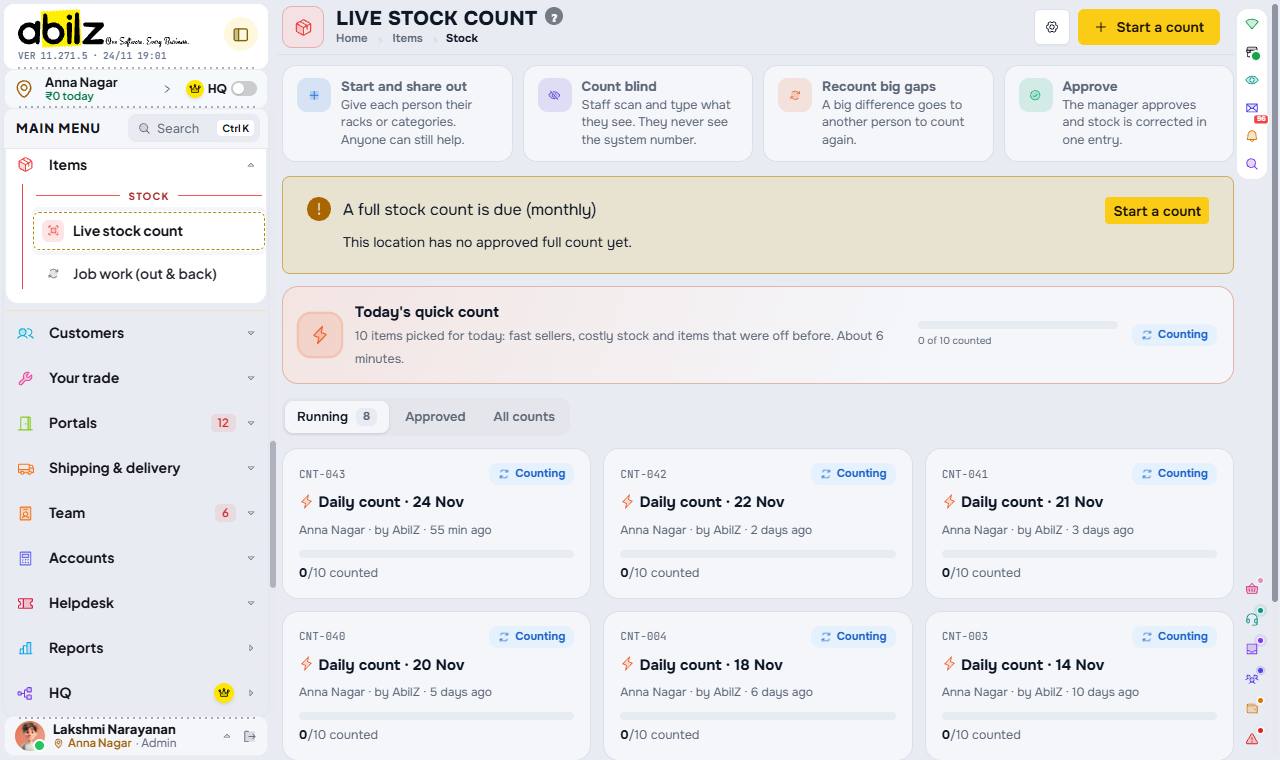
- Start a count: give it a name (for example Shirts section, Rack A), and choose the Racks, Categories or the whole store, and the Person counting.
- Open the count. Scan a barcode or item QR: each scan adds 1. Or type the number Counted on a line.
- The Difference and its Value show on each line. Lines far off are marked Check: Count again, or give the reason (Why?).
- Finish the count: the stock is corrected and the correction is kept with who counted and why.
The list shows each count's Area, By, Started, Counted, Off, the Correction and the Status. Cancel this count? stops one without changing stock.
Was this helpful?
Something wrong in this guide?
Still stuck?Press ? in your portal, then Raise a ticket. It carries the page you are on.
Contact AbilZ