

The Settings pages that decide which boxes the item screen shows. The item setup is one per business type.
| Settings page | What you decide |
|---|---|
| Settings › New Item Templates | All five templates on one page: read, try, use one here; four questions suggest one. |
| Settings › New Item Templates › New item defaults | Make the SKU / barcode for me, name in second language (e.g. Tamil), usual margin (suggests the price), sell when out of stock, publish new items, fill GST and HSN for me. |
| Settings › Items · item rules › Item types | Each type as a front tile, under More types, or off; rename any type. |
| Settings › Items · basics › Units list › Units per item type | Any unit with any type: tick litre on Standard, kg on a service, add your own units (tray, sack). Choose the unit a type starts with. |
| Settings › Items · item rules › Kinds (sizes, colours…) | Which kinds are offered and their values; add your own kind. |
| Settings › Items · item rules › Item features | Extra boxes for special needs, each Smart (on for the businesses that need it), On or Off. |
| Settings › New Item Templates › Item screen | Any box Always on screen, Always as + Add, or Never. Your choice wins, even where the rules say no. |
| Restaurant › Setup › Restaurant | Courses, allergens, KOT requests, food cost on the dish and its target %. |
| Settings › New Item Templates › Own boxes | Your own boxes (text, number, date, list, yes/no), for all types or some. |
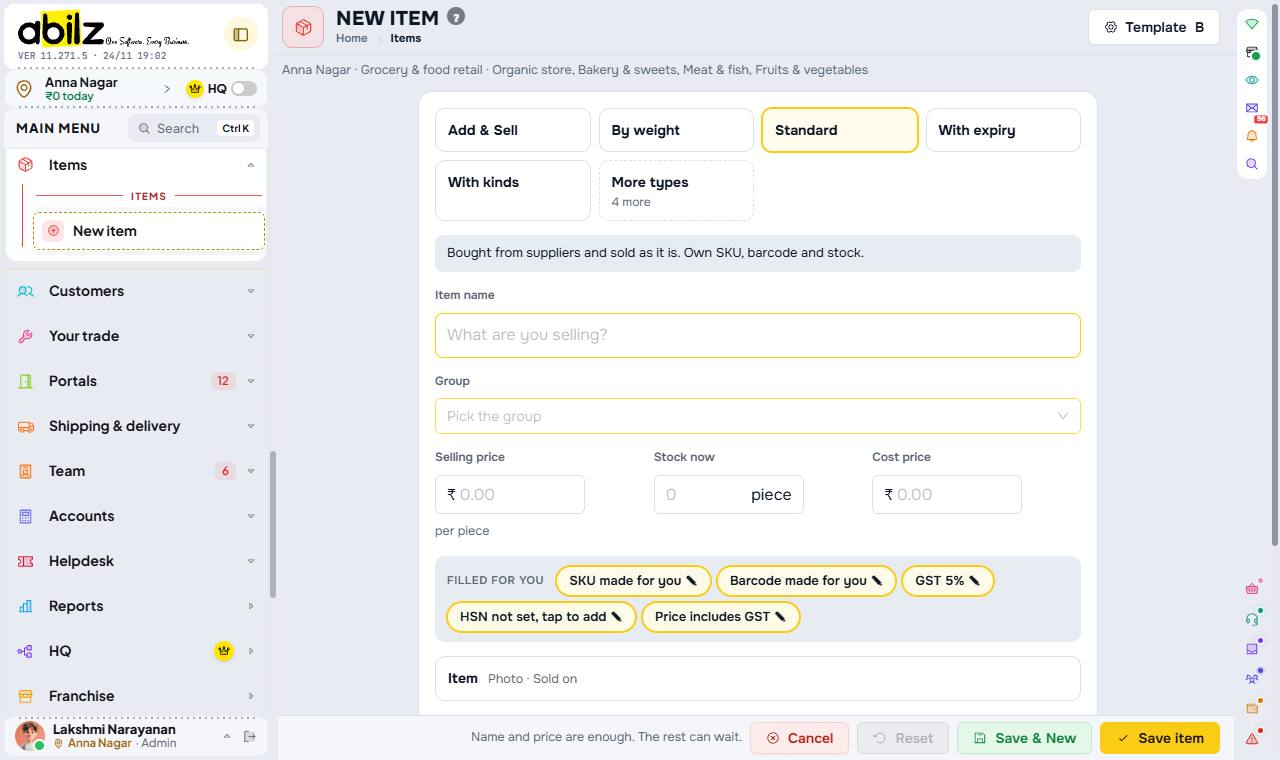
The item setup is one per business type: a business with a grocery and a services location sets each one (pick it at the top right).
Was this helpful?
Something wrong in this guide?
Still stuck?Press ? in your portal, then Raise a ticket. It carries the page you are on.
Contact AbilZ