

One Items menu holds the item pages. Items home comes first, then the sections:
- Items: All items, New item, Fix my items, Labels & price tags.
- Add many at once: Add many items, Item photos.
- Prices & margins: Update prices, Planned prices, Price check, Price approvals.
- Stock: Stock on hand, Stock run-out, Stock adjustments, Stock transfers, Live stock count, Racks & shelves.
- Tracking & warranty: Batches & expiry, Serial numbers & IMEI, Warranty.
- Special items: Bundles & kits, Non-purchase items, Clearance planner.
- Production (factories): Recipes, Production orders, Production entries, Job work (out & back).
- Van (mobile outlets): Van loading & returns.
You see only the pages your modules and your role allow. Some pages open as a tab of another one, for example Duplicate items at the top of Fix my items, and What-if price, Margin guard and Competitor prices at the top of Price check.
The item settings are in Settings: Items · basics, New Item Templates and Items · item rules.
| Menu | What it opens |
|---|---|
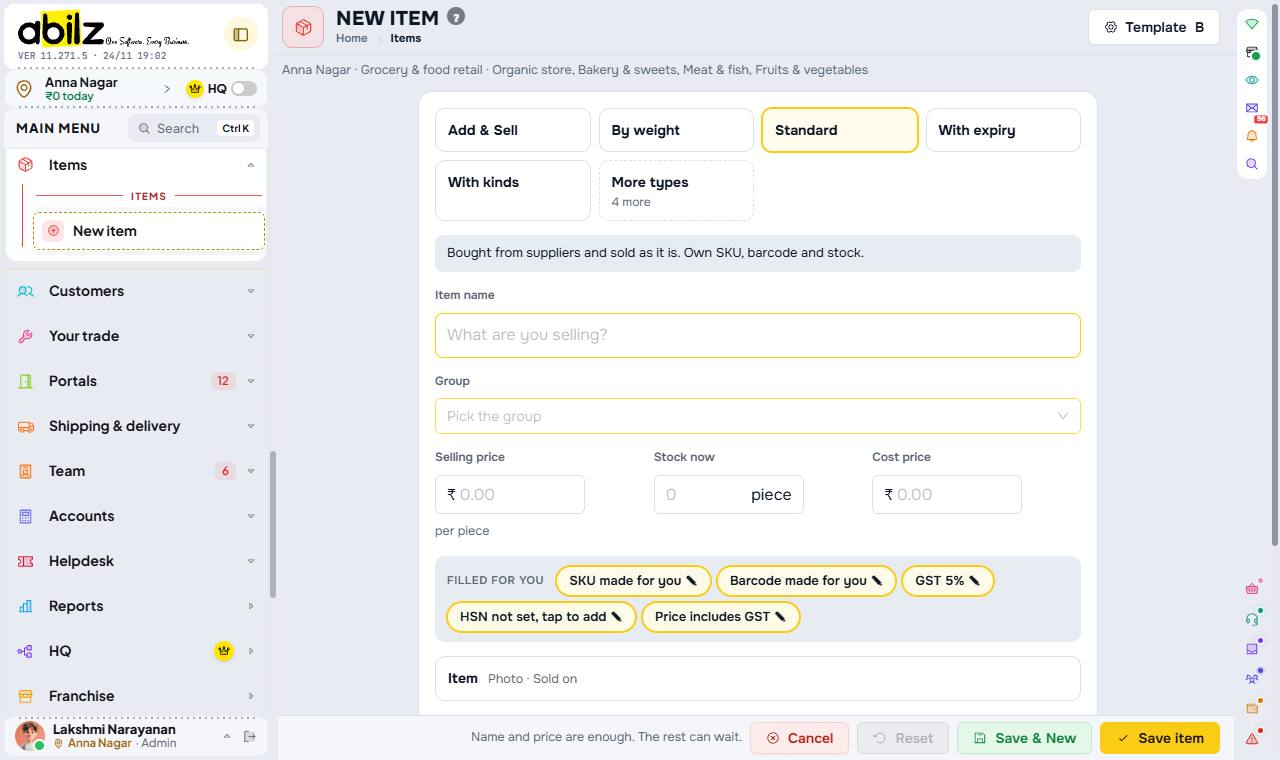
| Items › New item | The item screen in this location's template (A, B, C or D). With Template E it opens the Add many grid. |
| Items › Add many at once › Add many items | A grid: one item per row (Template E), for any location. |
| Settings › New Item Templates | All five templates on one page (Use here, Try it), and four questions that suggest one. |
Opening any item from Items › All items uses the same template, filled with the item's details.
Was this helpful?
Something wrong in this guide?
Still stuck?Press ? in your portal, then Raise a ticket. It carries the page you are on.
Contact AbilZ