

Try a price change before you make it and see the sales and profit before and after.
Part of Smart Pricing, for the owner. Items › Prices & margins › Price check › What-if price (a tab at the top). Choose one location at the top.
- Pick the items: type a name or code, or choose a category.
- Change the price by a % (for example 5, or -10 for a cut).
- You think sales will change by a % (for example -5 if a few customers may buy less).
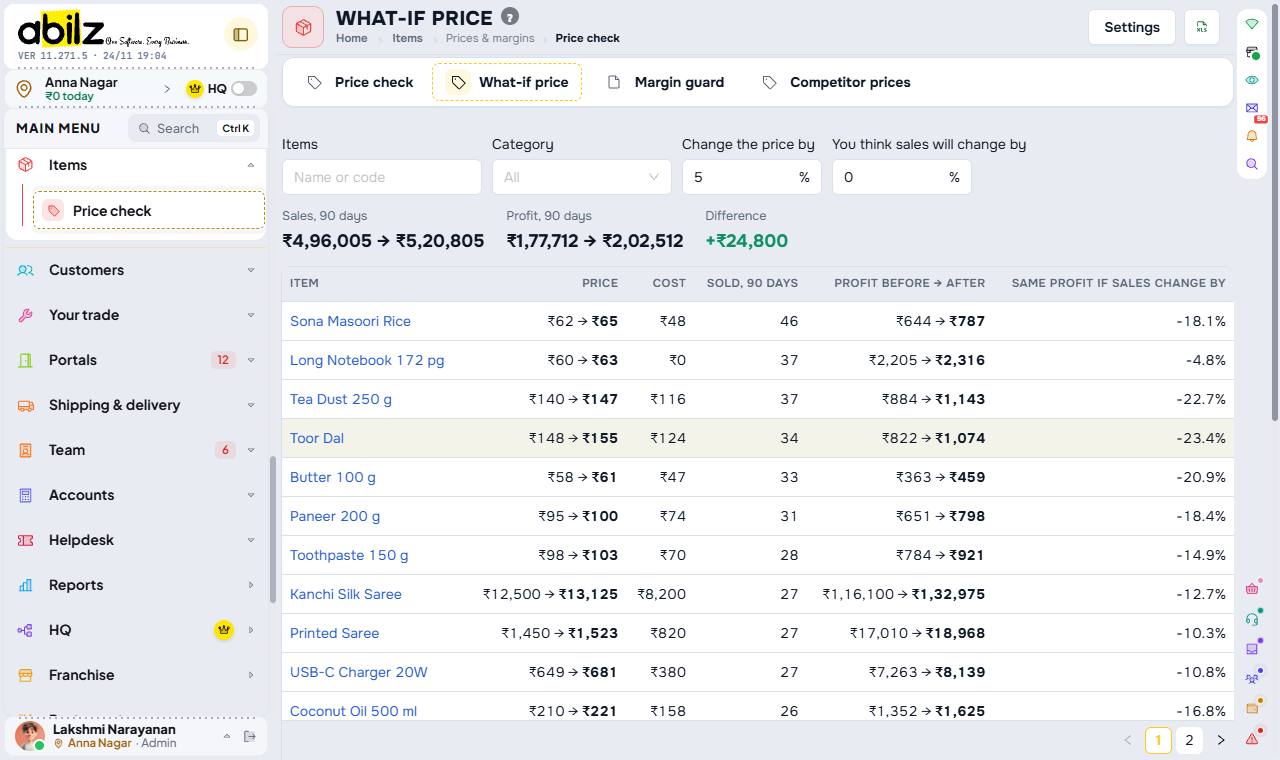
The top shows the sales and profit of the last 90 days, before and after, and the difference. Each item shows its new price, its profit before and after, and Same profit if sales change by: how many sales you can lose with a rise (or must gain with a cut) and still earn what you earn today. A price below cost shows Below cost.
Nothing changes on this page. When you like the result, open the item (tap its name) and change its price, or use Price plans.
Was this helpful?
Something wrong in this guide?
Still stuck?Press ? in your portal, then Raise a ticket. It carries the page you are on.
Contact AbilZ