

Item type tiles. Your business's usual types are tiles; the rest are under More types.
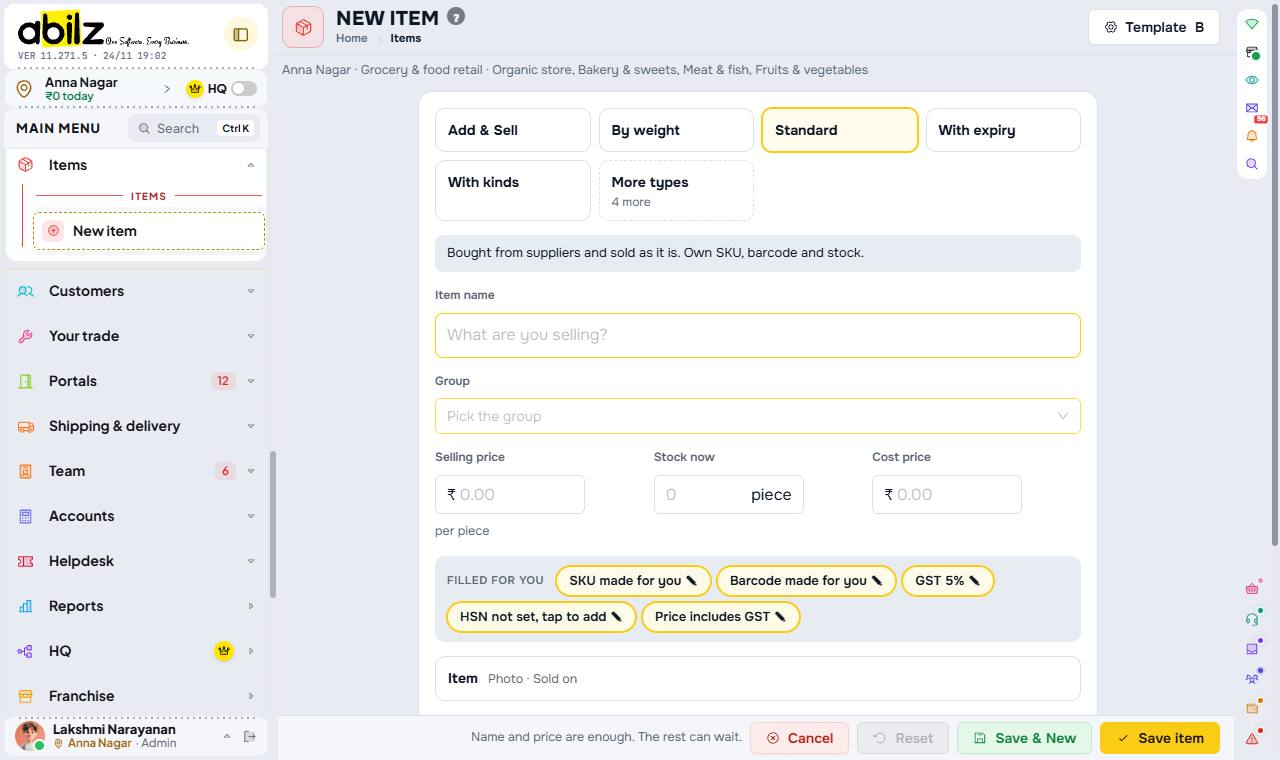
- Item type tiles. Your business's usual types are tiles; the rest are under More types. A type is fixed once the item is saved (stock and old bills rest on it).
- Filled for you. SKU, barcode, GST, HSN/SAC, the unit when only one fits, and "price includes GST". Tap a chip to change it.
- + Add chips. Boxes you need now and then (discount, rack, low stock alert, brand, short name on bill, features…). Tap one to open its box; × takes it off again. The most useful ones come first.
- Group is needed when your shop has groups (Settings › Items · basics › Categories). It decides the counter button, reports and the online menu.
- Opening stock. Type the stock now and Save: AbilZ makes a posted Opening stock adjustment at this location (for batch items it asks the batch and expiry).
- Use in the shop. On a saved item, Stock now has Use in the shop for stock your shop uses itself (carry bags, cleaning liquid, tea powder). Say how many, what it was used for and the location: it leaves stock at its cost and is saved as an expense in Accounts › New entry › Expenses (marked From stock). Deleting that expense puts the stock back.
- Kinds (sizes, colours, packs…): tap the values; each kind gets its own price, MRP, cost and opening stock. Type your own value in + own value.
- Restaurant menu items: recipe from your stock items (with food cost and % of the price), add-on items, course and prep time, menu timing, spice and allergens, and Available today (sold out comes back the next morning).
Was this helpful?
Something wrong in this guide?
Still stuck?Press ? in your portal, then Raise a ticket. It carries the page you are on.
Contact AbilZ