

Which items sit on which rack, a list to check a shelf, "Where is it?", and placing items that have no rack yet.
Items › Stock › Racks & shelves, for the location chosen in the menu.
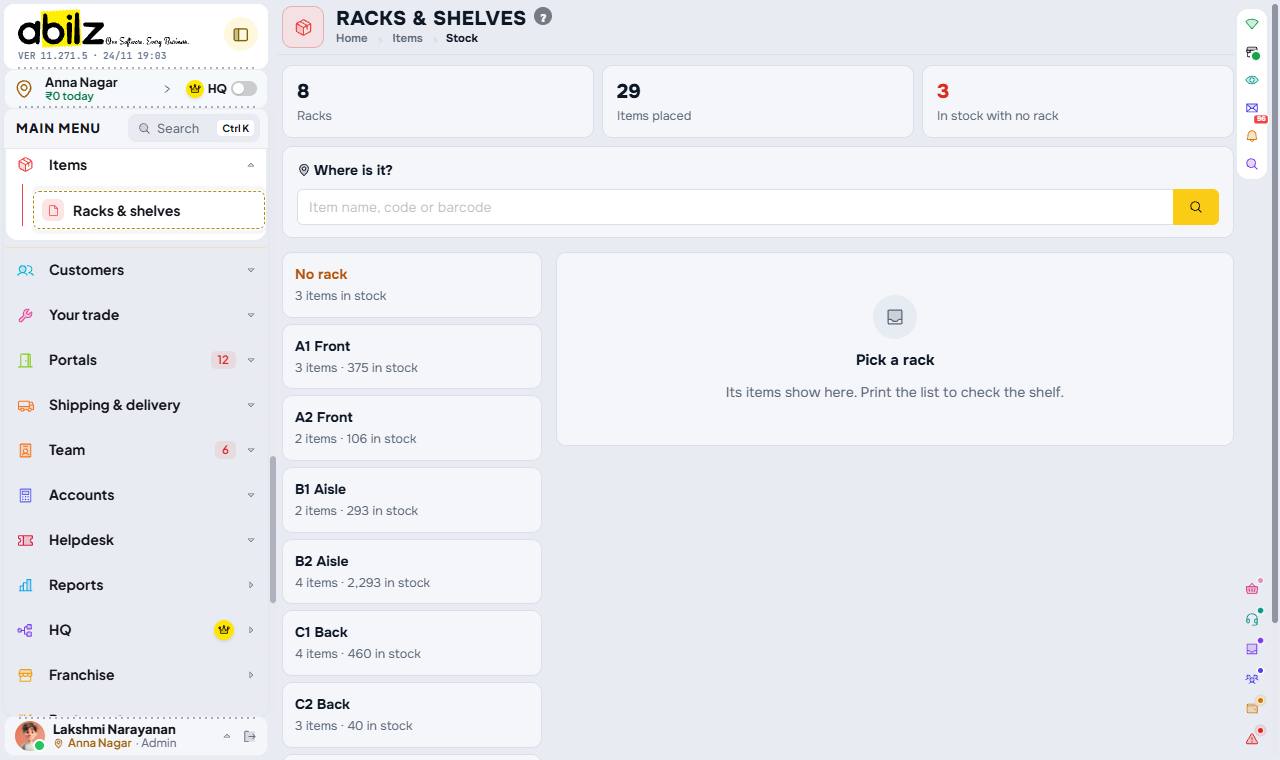
- The racks: every rack (for example A1 or Shelf 3) with its items. Pick a rack to see what should be on it, In stock and Counted. Print list to check the shelf by hand.
- Where is it? Type an item name, code or barcode to see its rack.
- No rack yet: items in stock that have no rack. Give them a rack here in one go, or open an item and fill Rack.
Was this helpful?
Something wrong in this guide?
Still stuck?Press ? in your portal, then Raise a ticket. It carries the page you are on.
Contact AbilZ