

When each item runs out at the speed it really sells, what to reorder in time and from whom, and one summary a day.
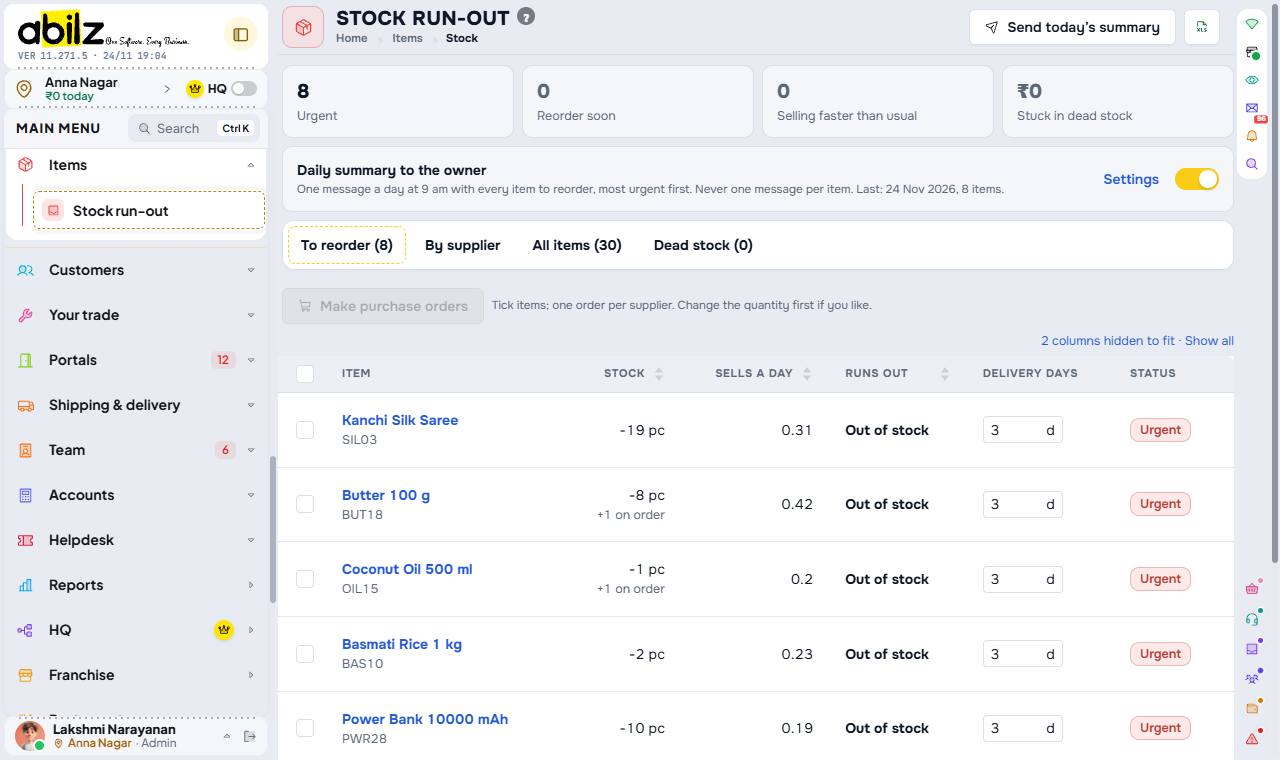
Items › Stock › Stock run-out. For every stock item at your location, AbilZ works out how fast it really sells, how many days are left and the day it runs out. It then tells you what to order now, so it arrives before the shelf is empty. It is part of the Stock Run-out Alerts module (AbilZ › Marketplace › Marketplace).
How it works out the days left
- Sells a day: from the last 30 days of sales, with recent days counting more, so an item that is picking up shows it quickly. One big bulk sale does not make an item look fast.
- Runs out: stock ÷ sells a day. For example, 40 packets selling 4 a day gives 10 days left.
- Delivery days: how long the supplier takes. Set it on the item right in the list, or AbilZ uses the supplier's delivery days. If neither is set, it uses your default (3 days).
- Not enough sales: items sold on fewer than 3 days in the window get no prediction, so a rare item never raises a false alarm.
The status of each item
- Urgent: it runs out before a new order can arrive (days left ≤ delivery days). Out of stock items that still sell are urgent too.
- Reorder soon: days left ≤ delivery days + 2 safety days.
- Ordered: it was running low, but enough is already on order.
- Dead stock: there is stock but no sale for 60 days. The Dead stock tab shows the money stuck in each item, so you can clear it.
- Fast marks your fastest tenth. Selling faster marks items whose last 7 days sold at least 1.5 times the usual speed.
Order in one click
- To reorder lists the urgent and reorder-soon items, most urgent first, with Order = enough for 30 days minus your stock and what is already on order. Change any quantity if you like.
- Tick the items and press Make purchase orders. You get one order per supplier, in Purchases.
- By supplier shows the same list grouped, with a Make order button for each supplier.
The daily summary
Once a day (9 am by default) the owner gets one message with every item to reorder, most urgent first. It is never one message per item:
"Stock to reorder at Anna Nagar: 3 items, 1 urgent. 1. Milk: runs out today, order 120 (Aavin) 2. Rice 5kg: 4 days left, order 40 …"
It comes as an app alert, and also on WhatsApp if you switch Also on WhatsApp on and add the numbers. Press Send today's summary to see it now. Under Settings you can change the days of sales, safety days, days to order for, the dead stock days, the "selling faster" level and the hour.
Something wrong in this guide?
